UX/UI Design
Research
Web Design
Logo
eBees Solutions' webpage was missing a crucial functionality: a method for potential users to register. To tackle this issue, I instituted a straightforward navigation mechanism for user enlistment.
eBees Solutions
Company Project
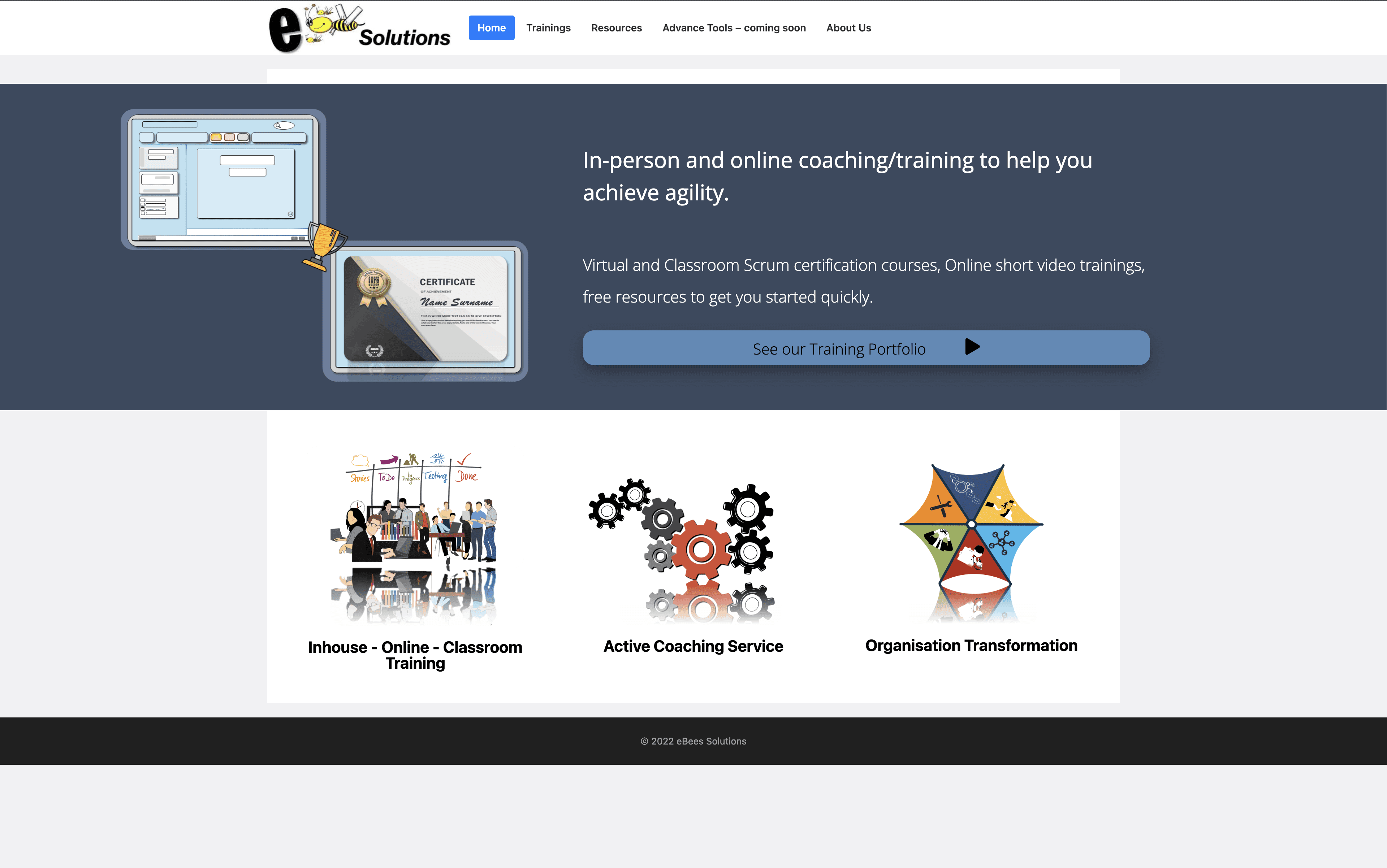
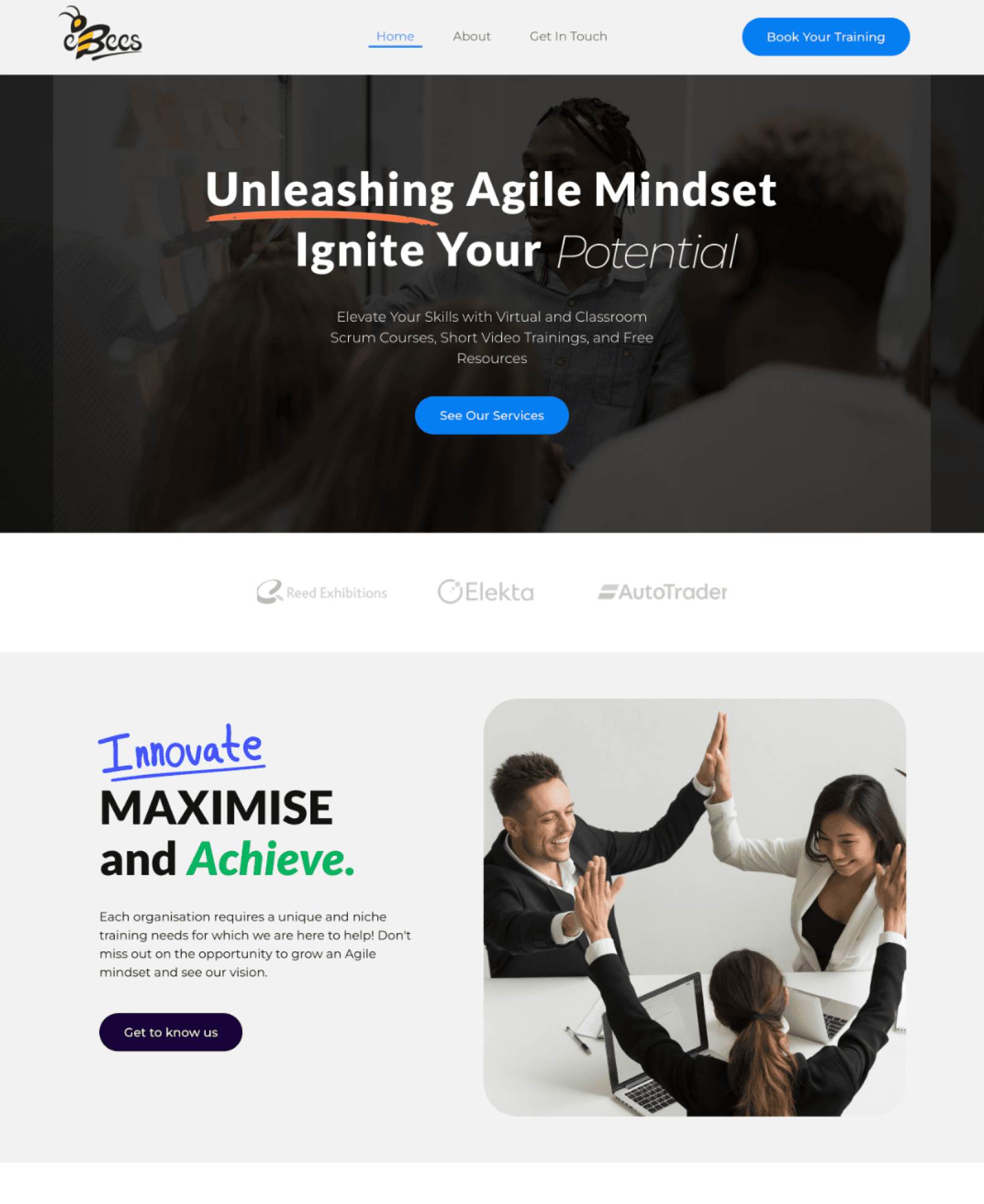
New Landing Page
Project Timeline
Aug 22 - Mar 24
Team
Product Owner, Director
Project Overview
The problem I identified was that the website was incomplete, out of date, and lacked a way for people to apply for training. Based on this, I chose to follow a three-step approach: understanding the requirements, research and analysis, and design and implementation.
Problem Statement
💰 Business : Website is incomplete so it fails to engage users and convert leads, resulting in an adverse impact on the company's image and missed opportunities for revenue generation.
✨ User: Fom the user’s perspective, they don’t know how to contact to show interest in the training. This can be frustrating and might explain why users are not signing up.
Understanding Requirements
Research & Analysis
Design & Implementation
This method resulted in a comprehensive grasp of website shortcomings, informed by extensive research
UX Analysis
Landing page/Home Page
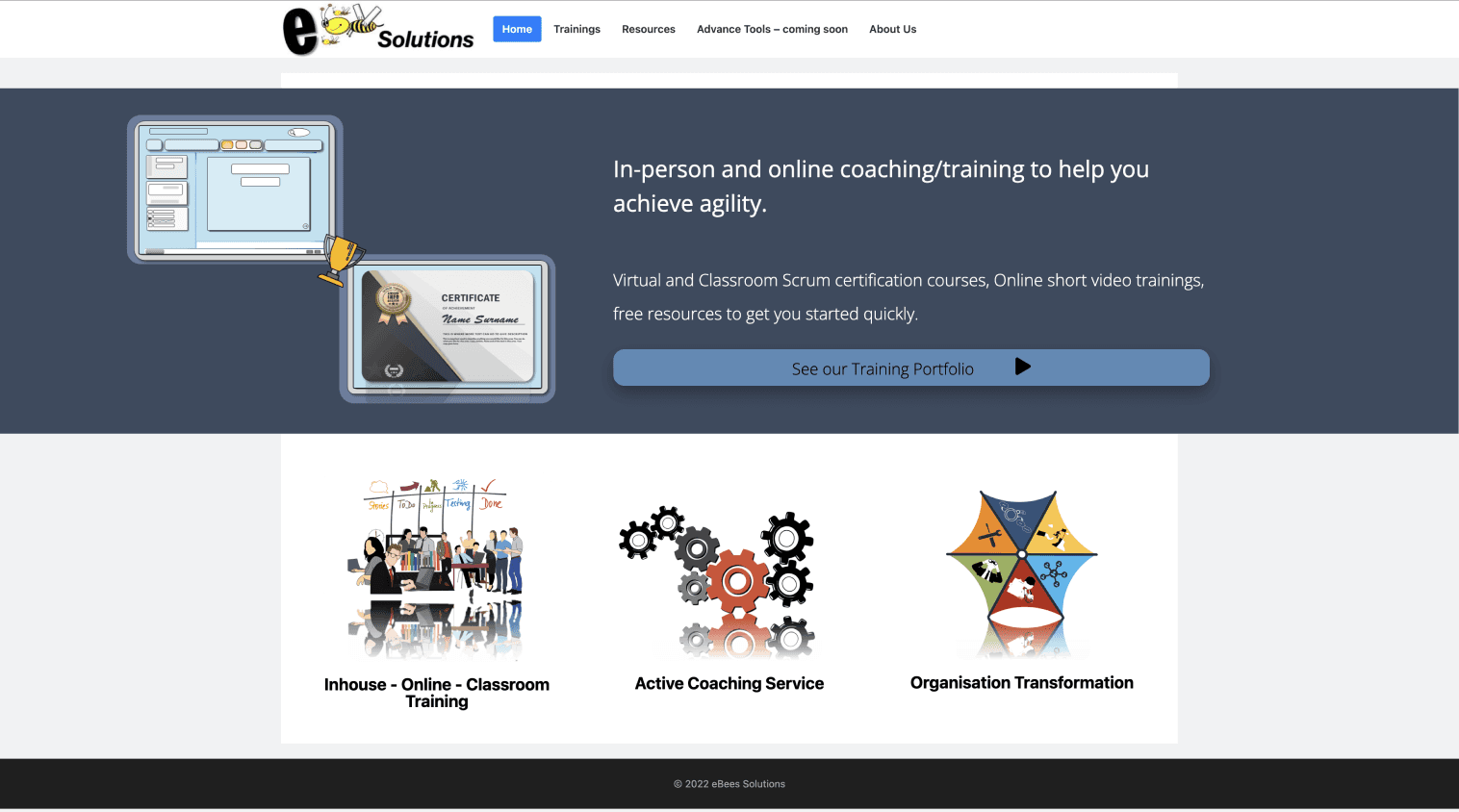
The current style guide is too boring, and lacks relevant links and is inconsistent. This is a problem because it can hinder user engagement and navigation, impacting overall usability.
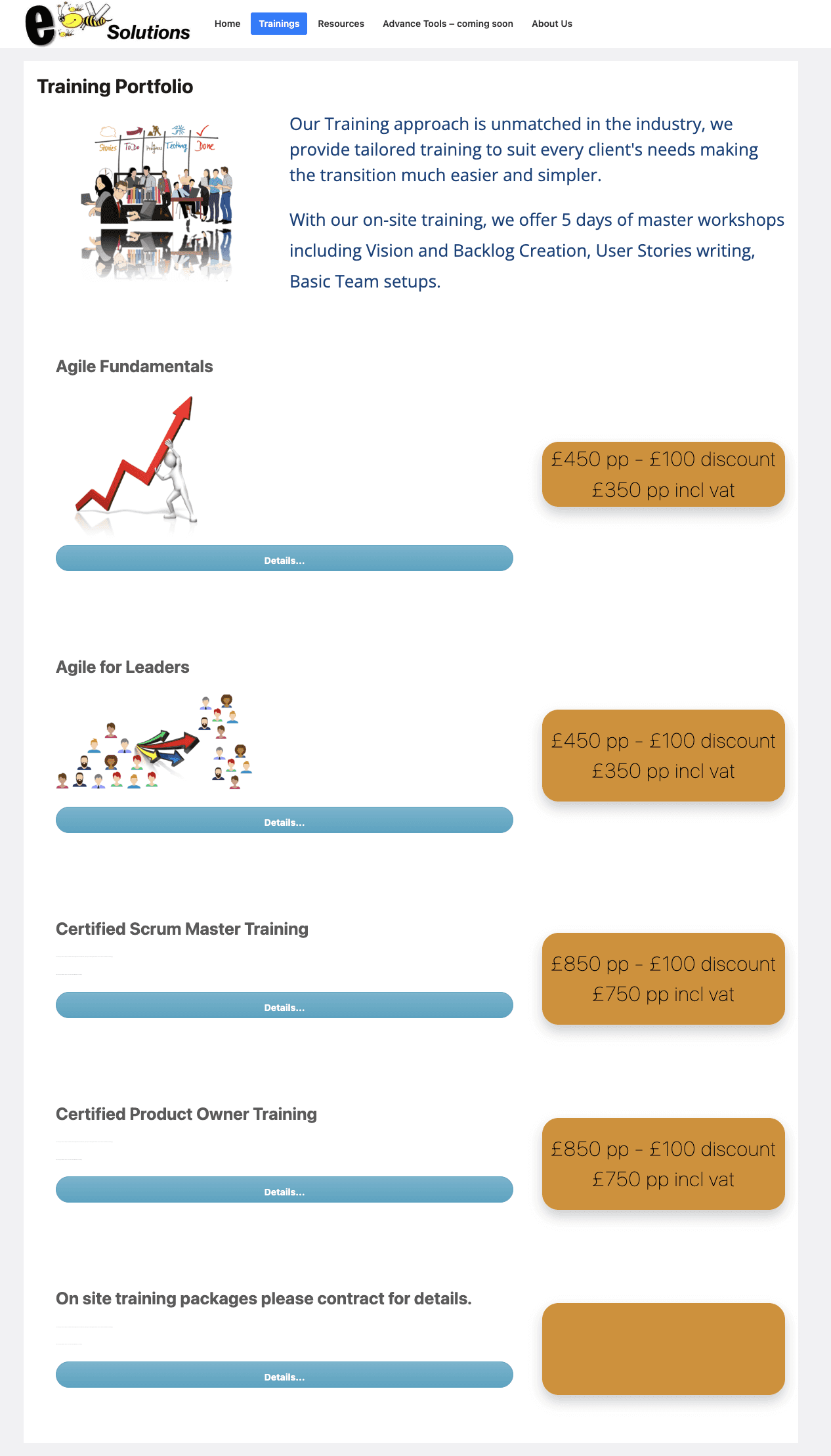
Trainings Page
Blank and incomplete pages
Users will be frustrated, disappointed and may lose trust in the website's credibility.
Differing illustration can confuse users about the website's identity and disrupt readability.
Inconsistent branding
This frustrates users as it disrupts readability and make content harder to comprehend.
Inconsistent text formatting
Differing illustration and text styles can confuse users about the website's identity and disrupt readability.
Low contrast CTA
Current Site Map
The user journey is depicted in the current site map, where I've noted any pain points that might be interfering with the flow of the user experience and decreasing user interactions.
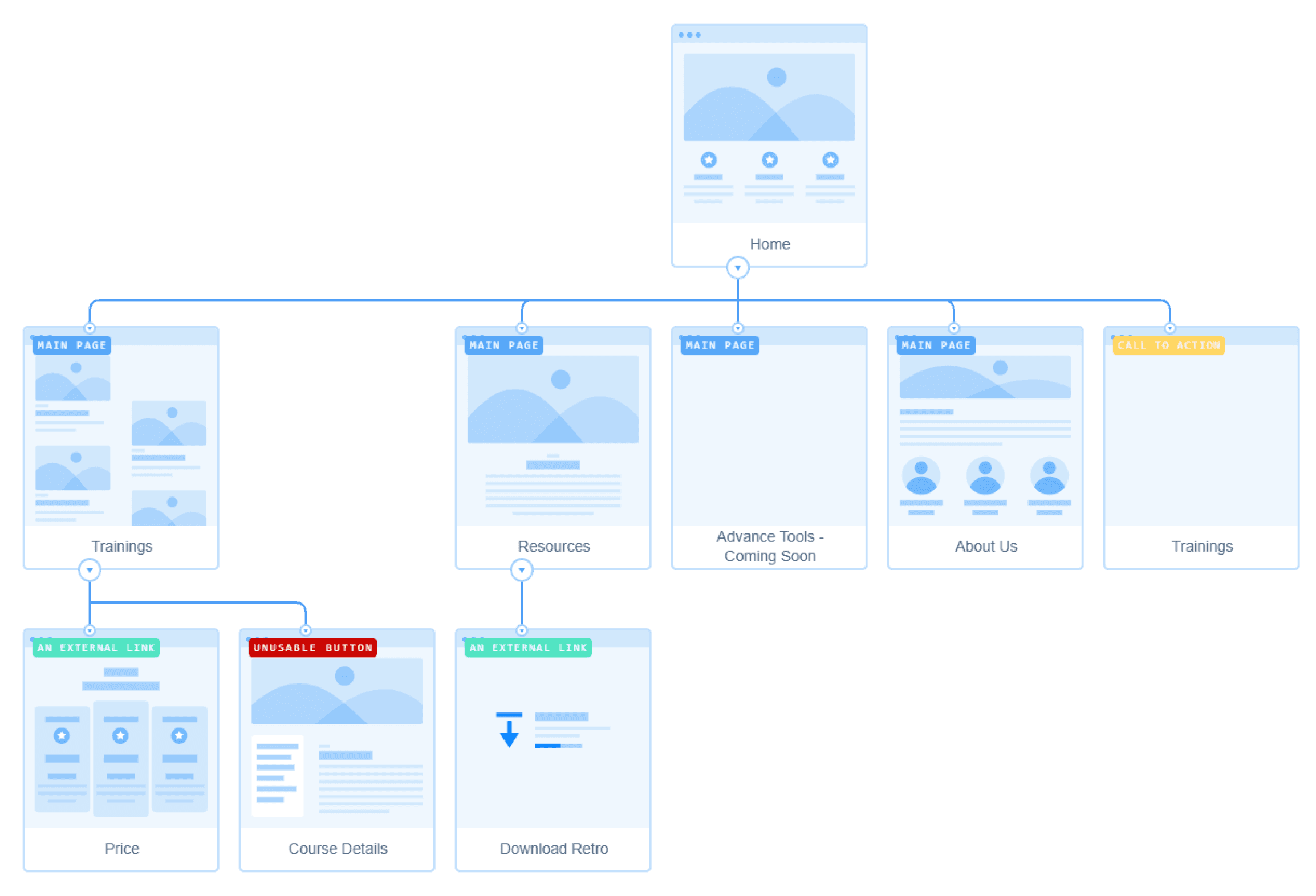
No “contact us”
Hinders user communication and support access, leading to potential frustration.
Prices link leads to email
Redirecting users to email disrupts the browsing experience, is unexpected and potentially causing abandonment.
Dead link
Stops user access to crucial information, decreasing trust and engagement.
No footer
Complicates navigation, is unexpected and diminishes overall usability.
Empty Page
Reflects poor planning and disappoints users, impacting website professionalism.
Incomplete page with missing information
Disrupts user journeys and undermines website reliability, risking user retention.
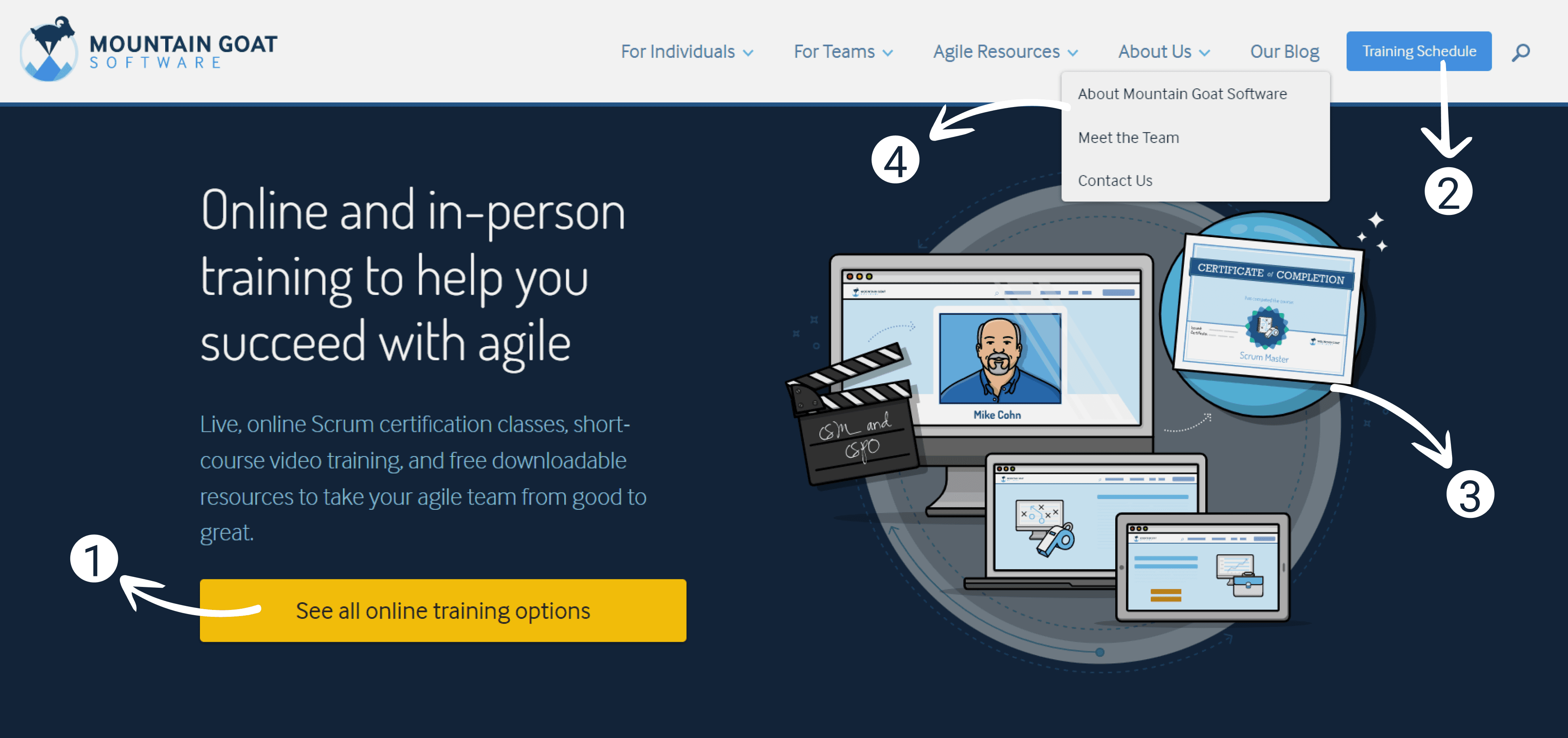
Competitive Analysis
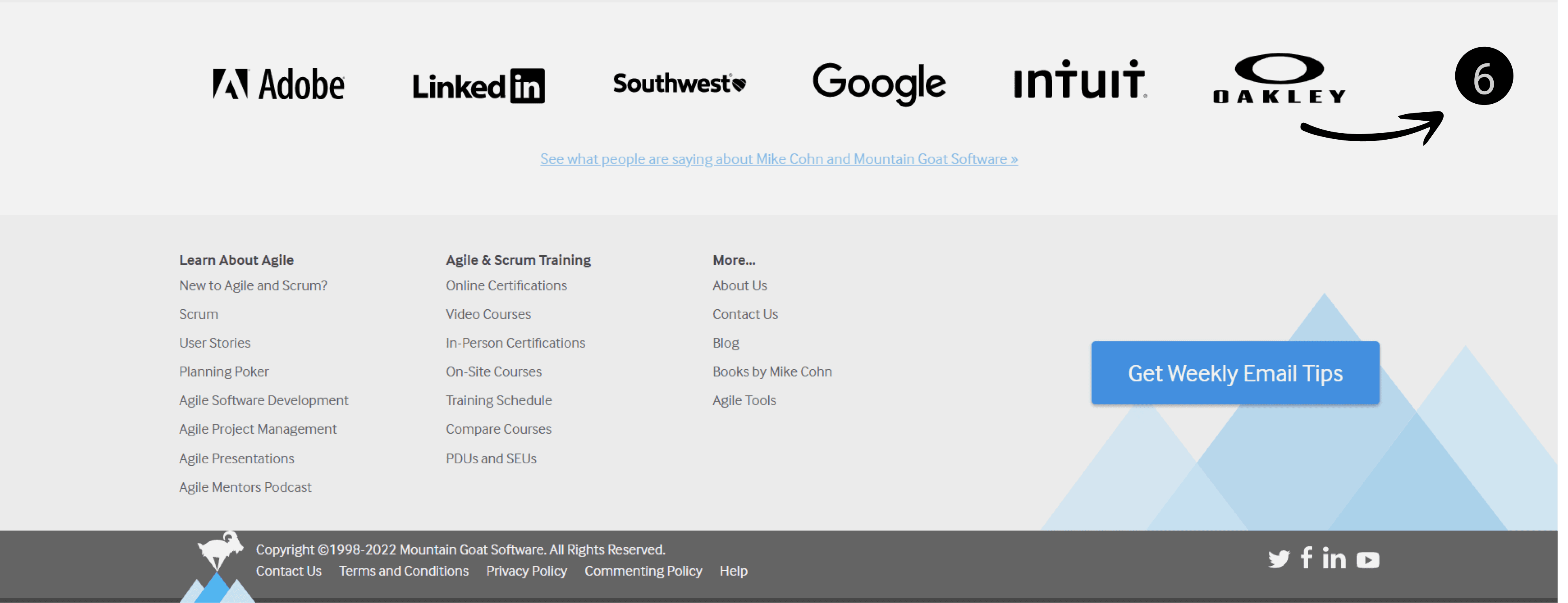
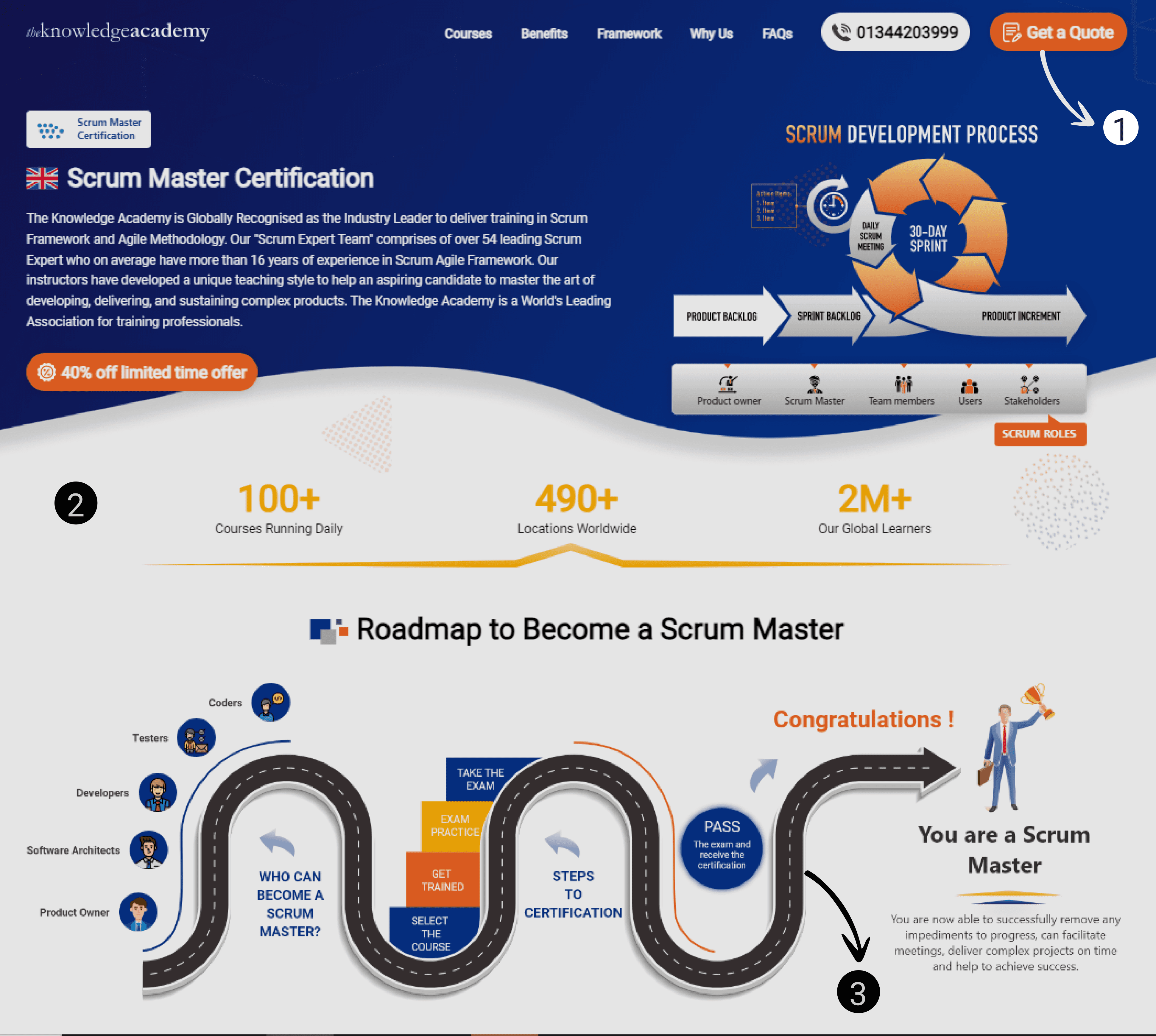
Here I highlighted the key UX features by analysing direct competitors to help understand the competition and gain insight on the UX practices in the industry.
Build trust showcasing biggest clients ✅
Enhances credibility and user trust, positively influencing user perception and potentially increasing conversions.
Dropdown menu, however there are no links to actual navigation page ‘About Us’ to travel to and explore sub-navigations. ✅❌
Disrupt the user journey and create frustration.
Consistent style illustrations with distinct colours ✅
Creates a cohesive and polished look, enhancing brand recognition.
Primary navigation button ✅
Clear and intuitive navigation helps ser understanding.
CTA button which draws user attention ✅
Improves conversion rates and overall user engagement.
Good primary navigation button with clear incentive ✅
Enhances user engagement, improving overall usability and user experience.
Build trust with showing statistics✅
Enhances credibility and user trust, positively influencing user perception and potentially increasing engagement.
Easy to follow and understand, clean aesthetic✅
Enhances credibility and user trust, positively influencing user perception and potentially increasing engagement.
Usability Testing
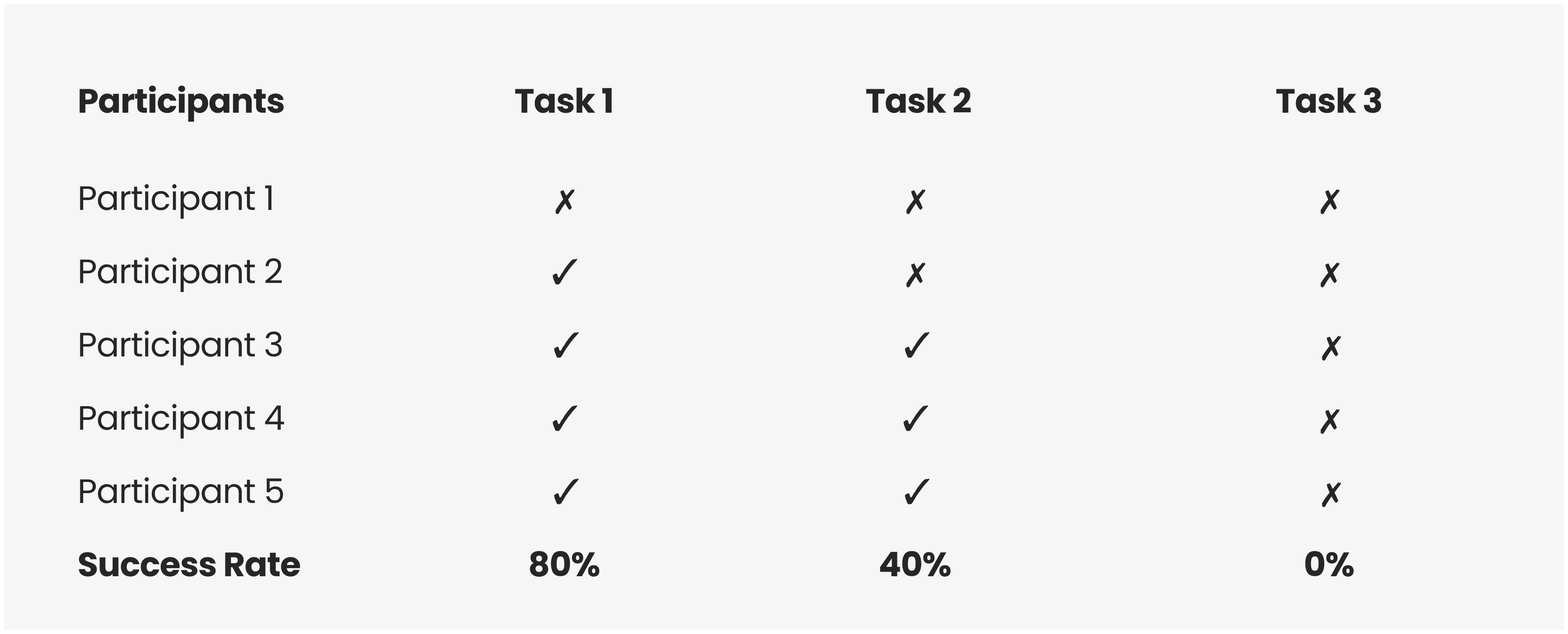
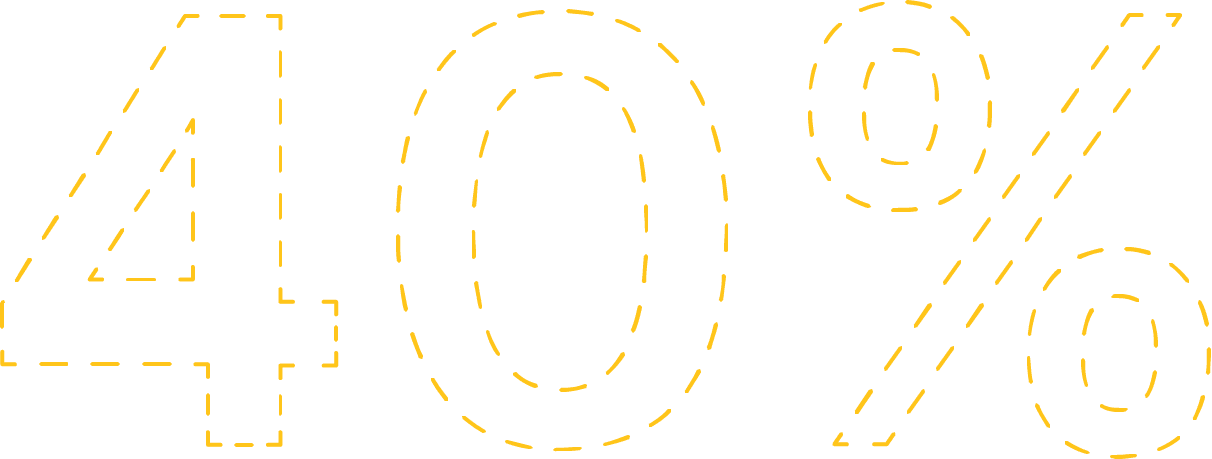
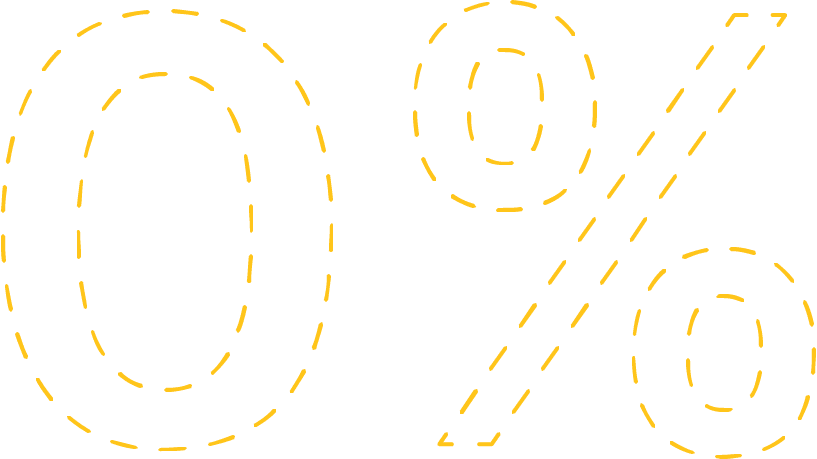
We researched insights that were gathered from conducting usability testing when speaking to participants and wanted to evaluate the core problems that showed us only 40% completed tasks and 0% would sign up. These were the aspects we wanted to focus on during the study:
Effortless Tasks
To see if users can complete tasks on the website hassle free.
User’s Thought Process
The users will be asked to say out loud what they are thinking and I will observe the performance as they explore the website.
Identify Problems
Identify and find solutions to the problems the users face while using the website.
All users were informed that the website is currently live and that they should vocalise what they feel when exploring the website.
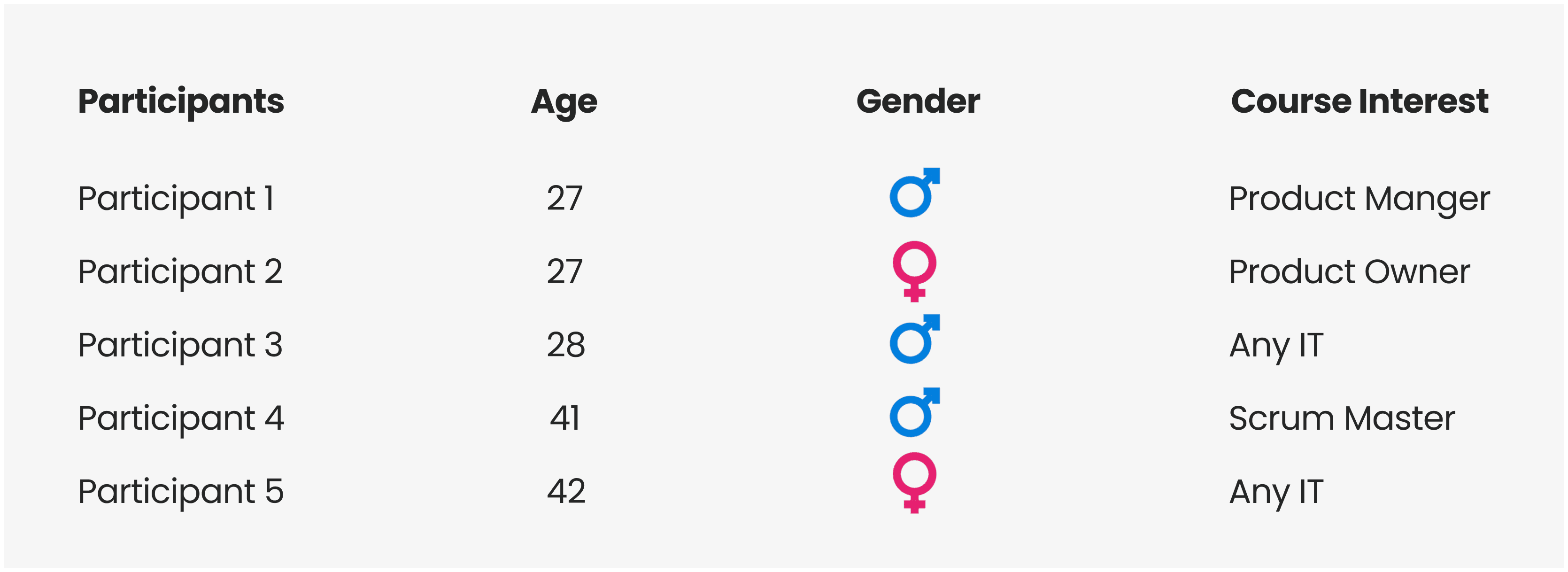
Since the client mentioned that the target audience is 30+, the participants are of close ages and are all interested in online courses.
Post-test briefing and questions will be asked after the session.
What did we do?
User Group
Task Completion Rate
Task Completion Rate
Liked the Branding
Would sign up
To evaluate the problem I gathered top 3 insights using a synthesised affinity diagram.
Key Insights
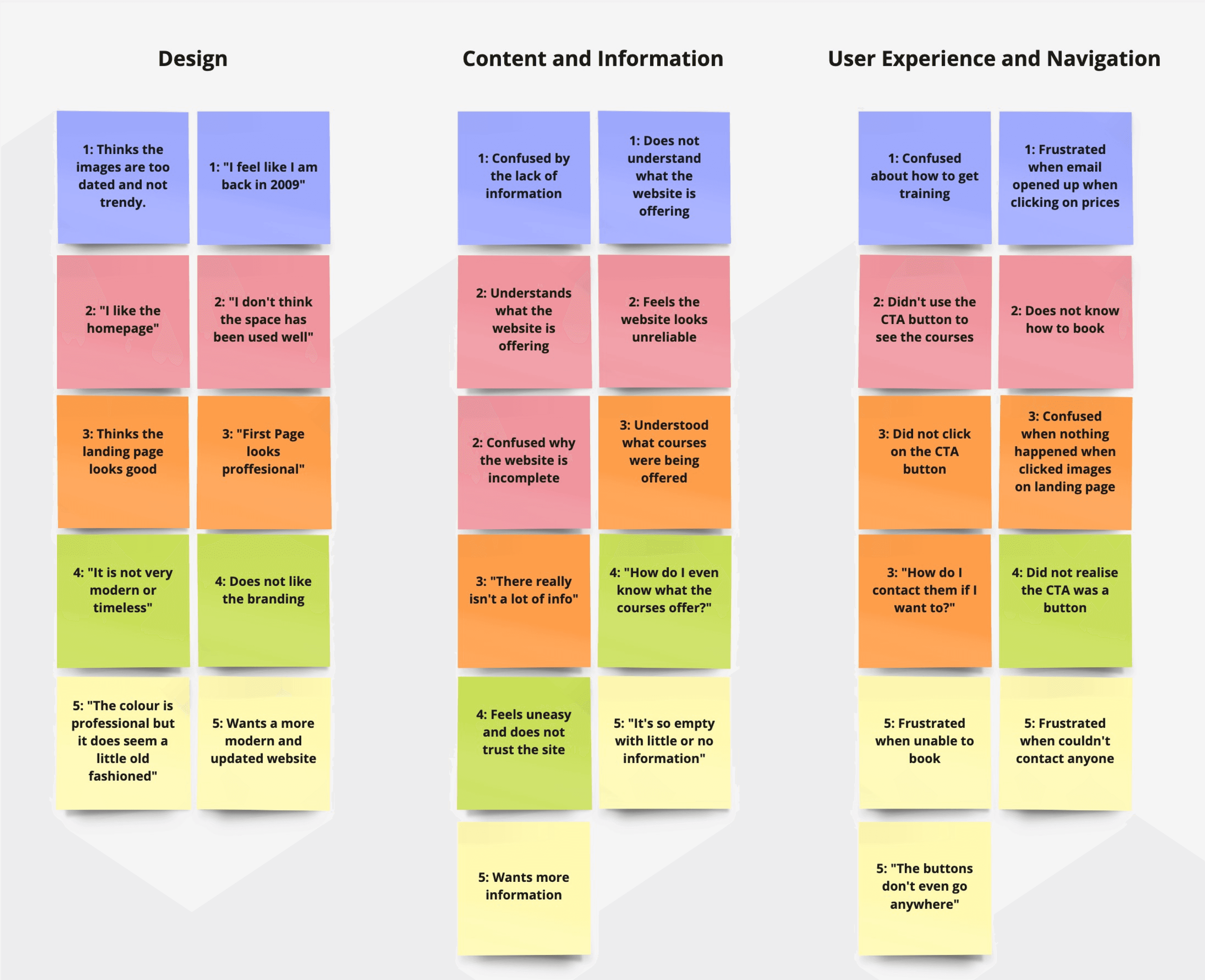
Using the affinity diagram and defining the problems, I updated the sitemap to target the navigation pain point.
Updated Sitemap
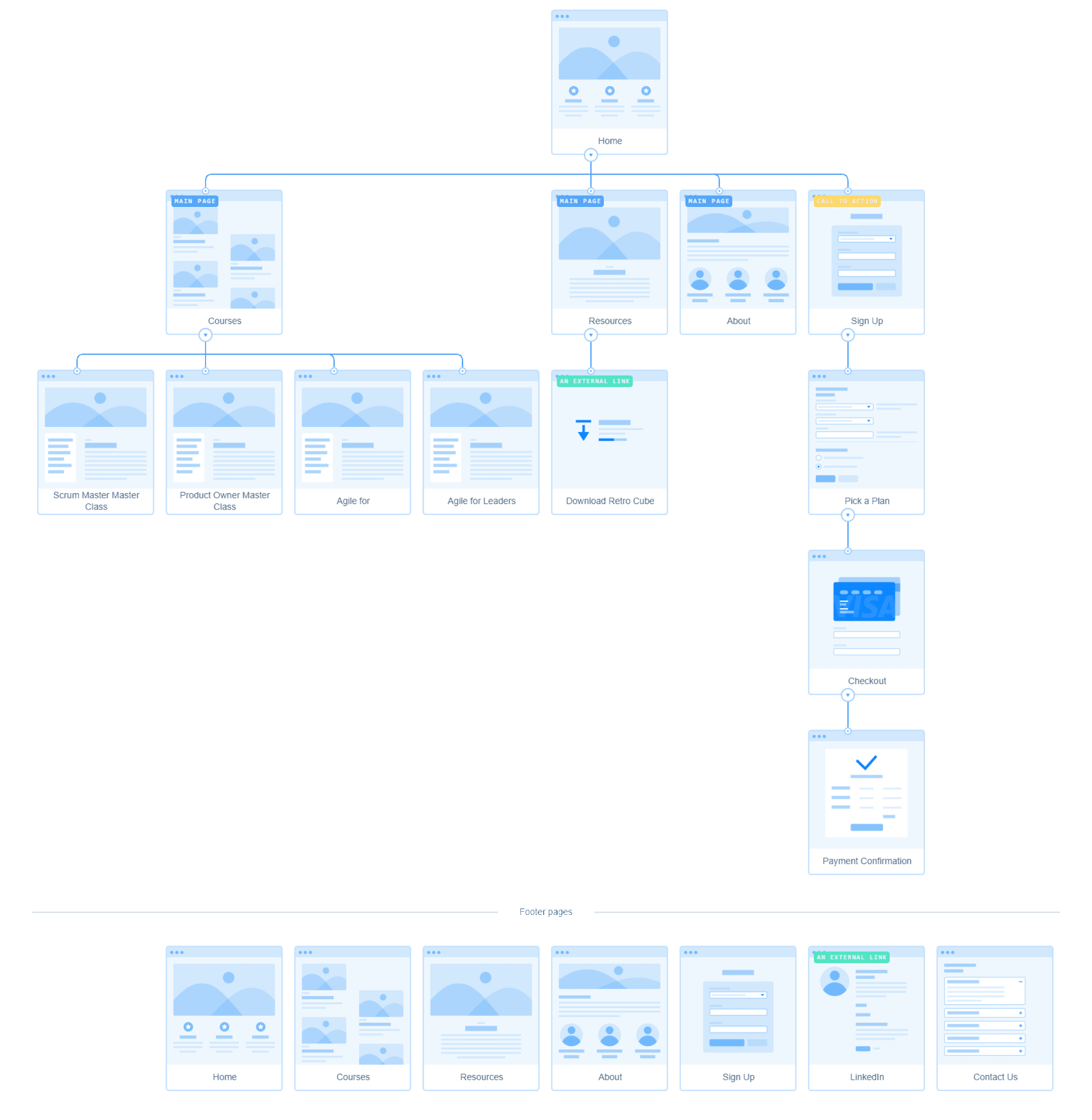
No more empty pages
Eliminates dead ends and prevents user frustration
Appropriate CTA
Streamline user journeys and increase the likelihood of conversions
Booking system
Improves user convenience and efficiency, reducing friction and addresses insights.
Clear training programmes
Enhances user understanding and improves overall engagement and satisfaction.
Updated footer
Enhances website usability by improving overall navigation efficiency.
Contact Us
Enhances user trust and satisfaction by offering a clear pathway for users to seek assistance
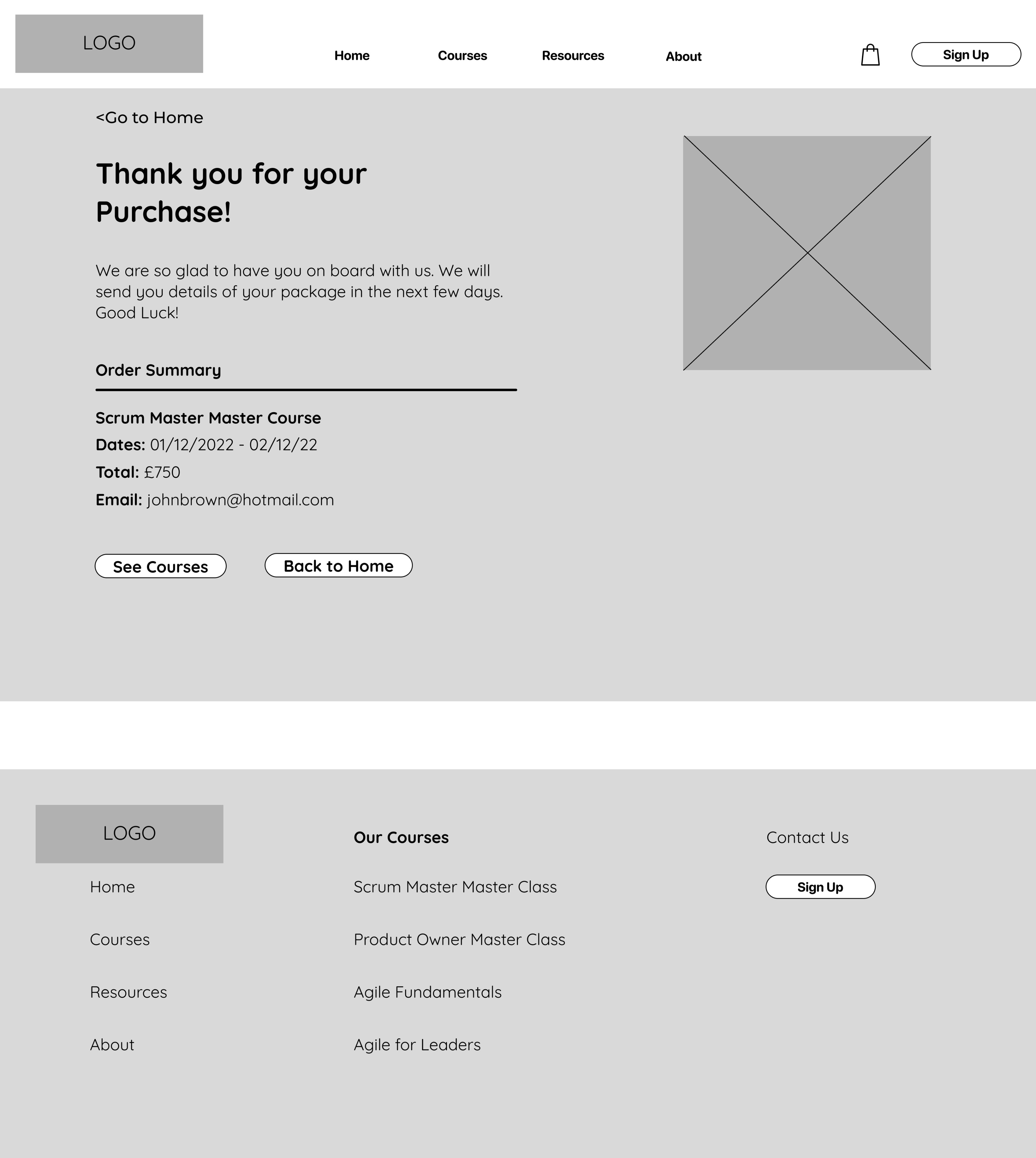
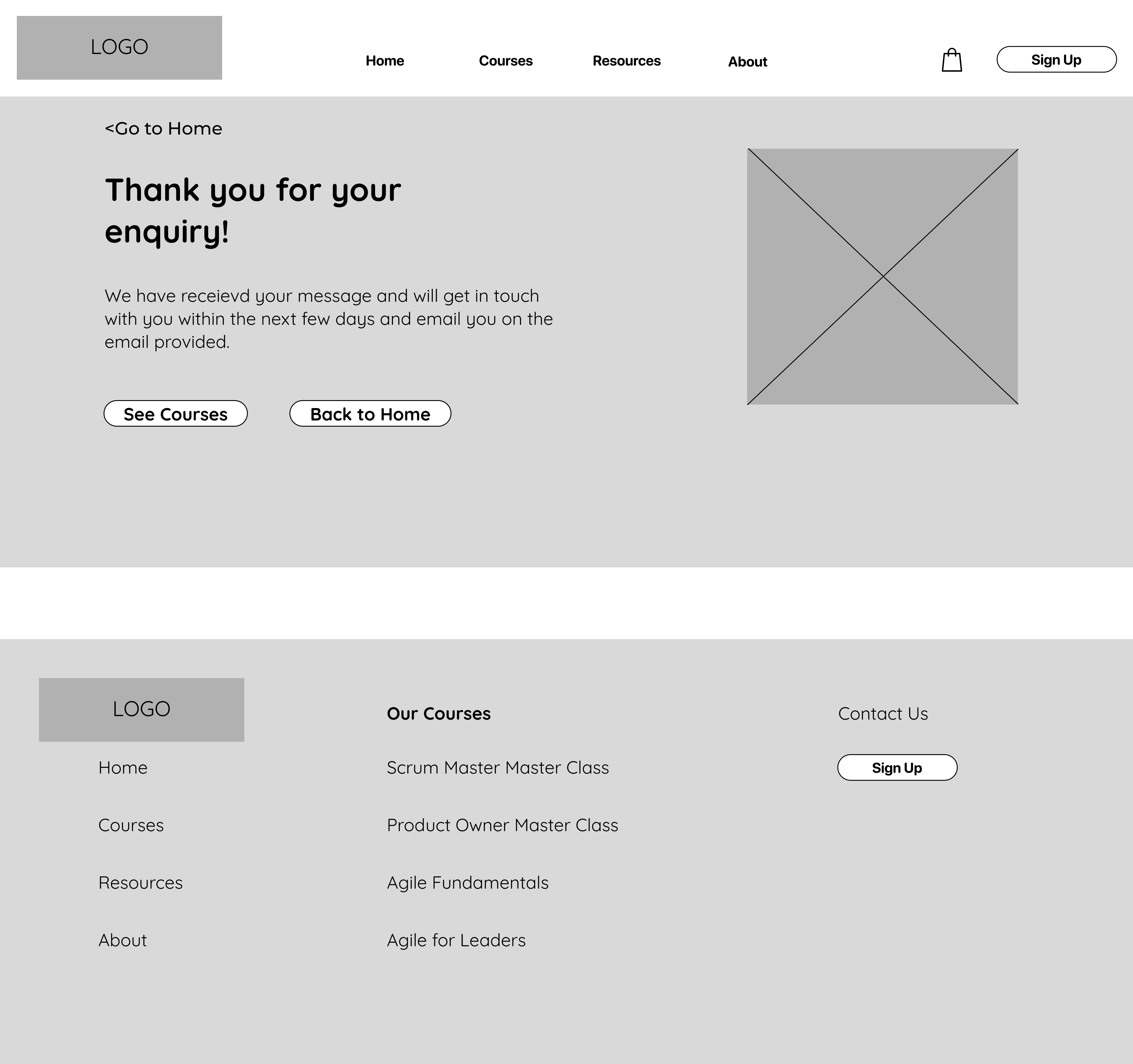
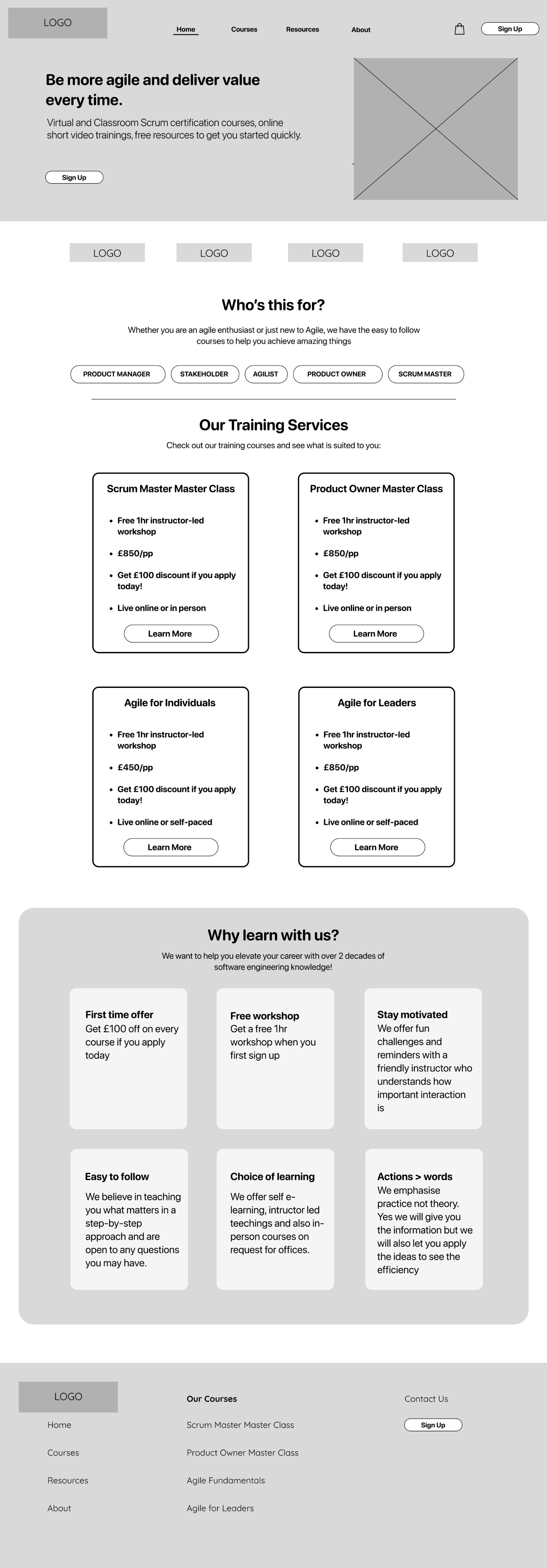
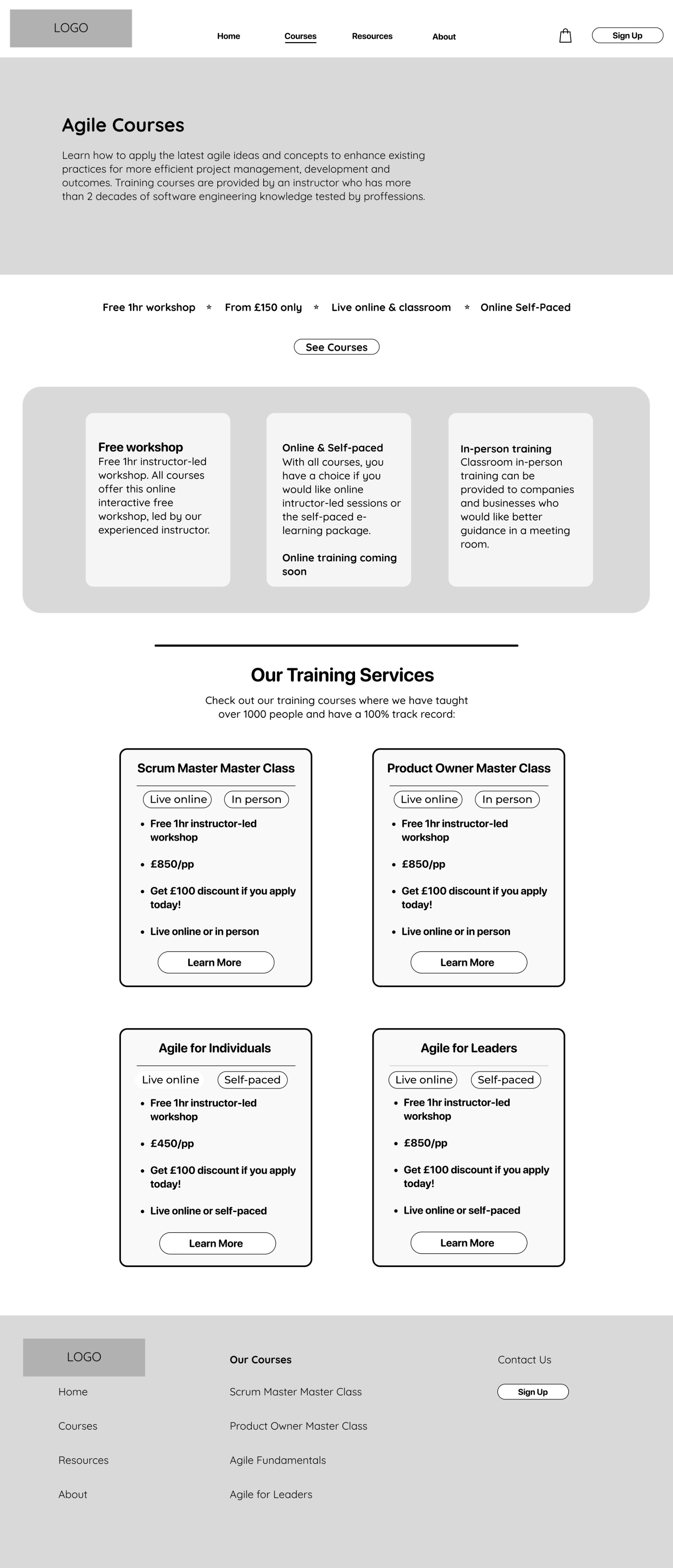
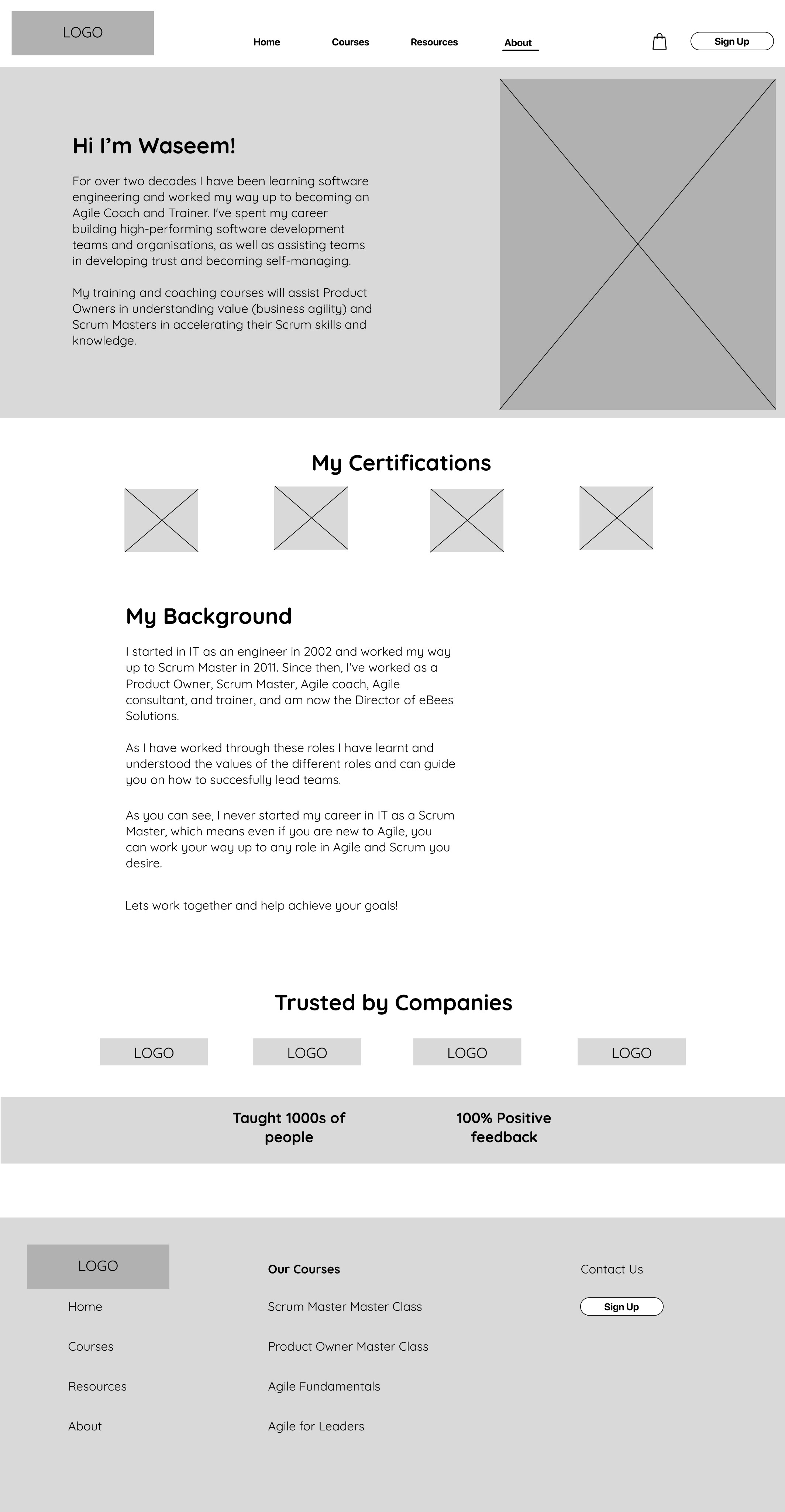
Digital Wireframes
Nearly there, now I can create a skeletal framework of the website.
UI Design & Prototype
Now let’s add some colour!
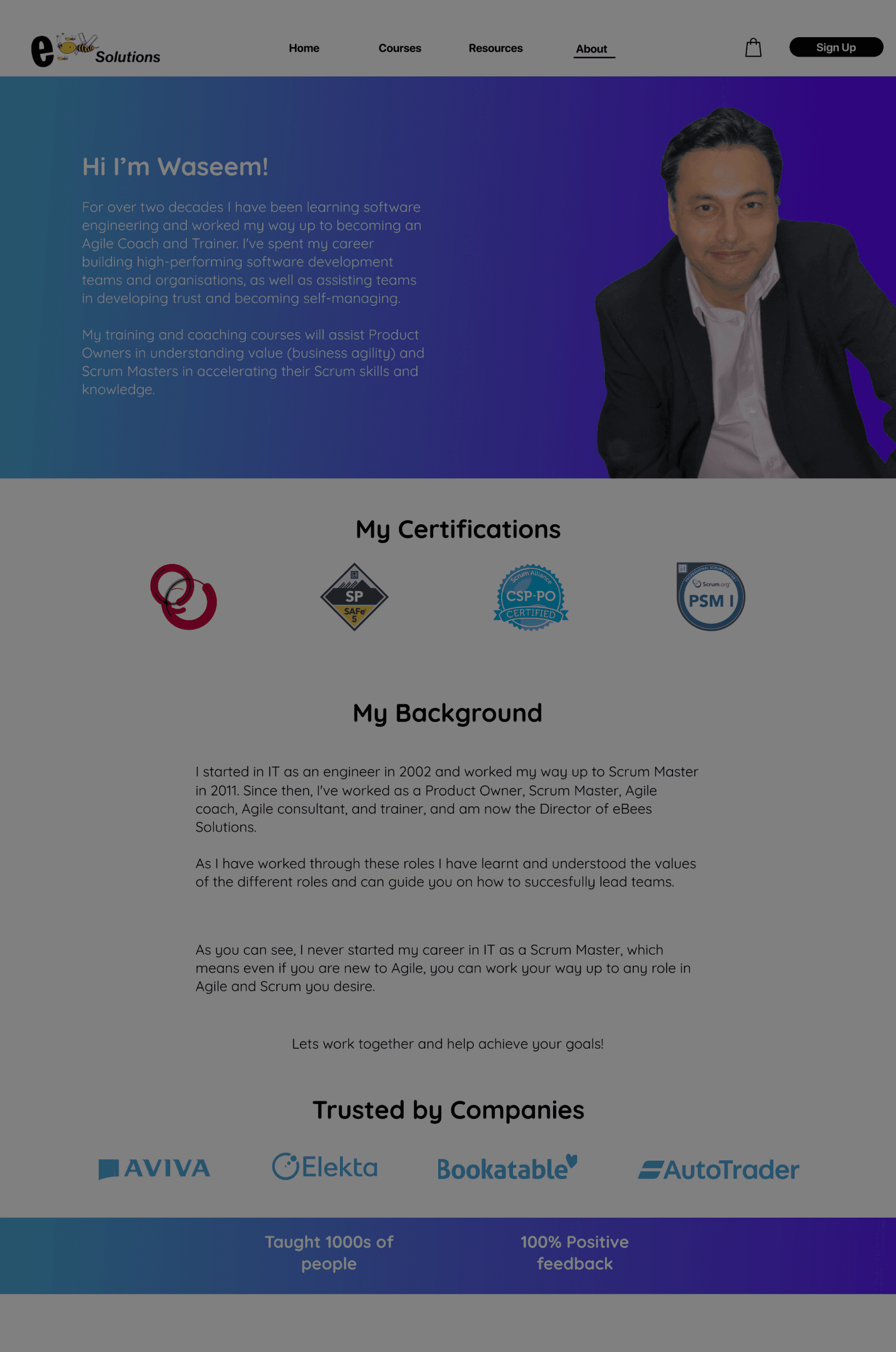
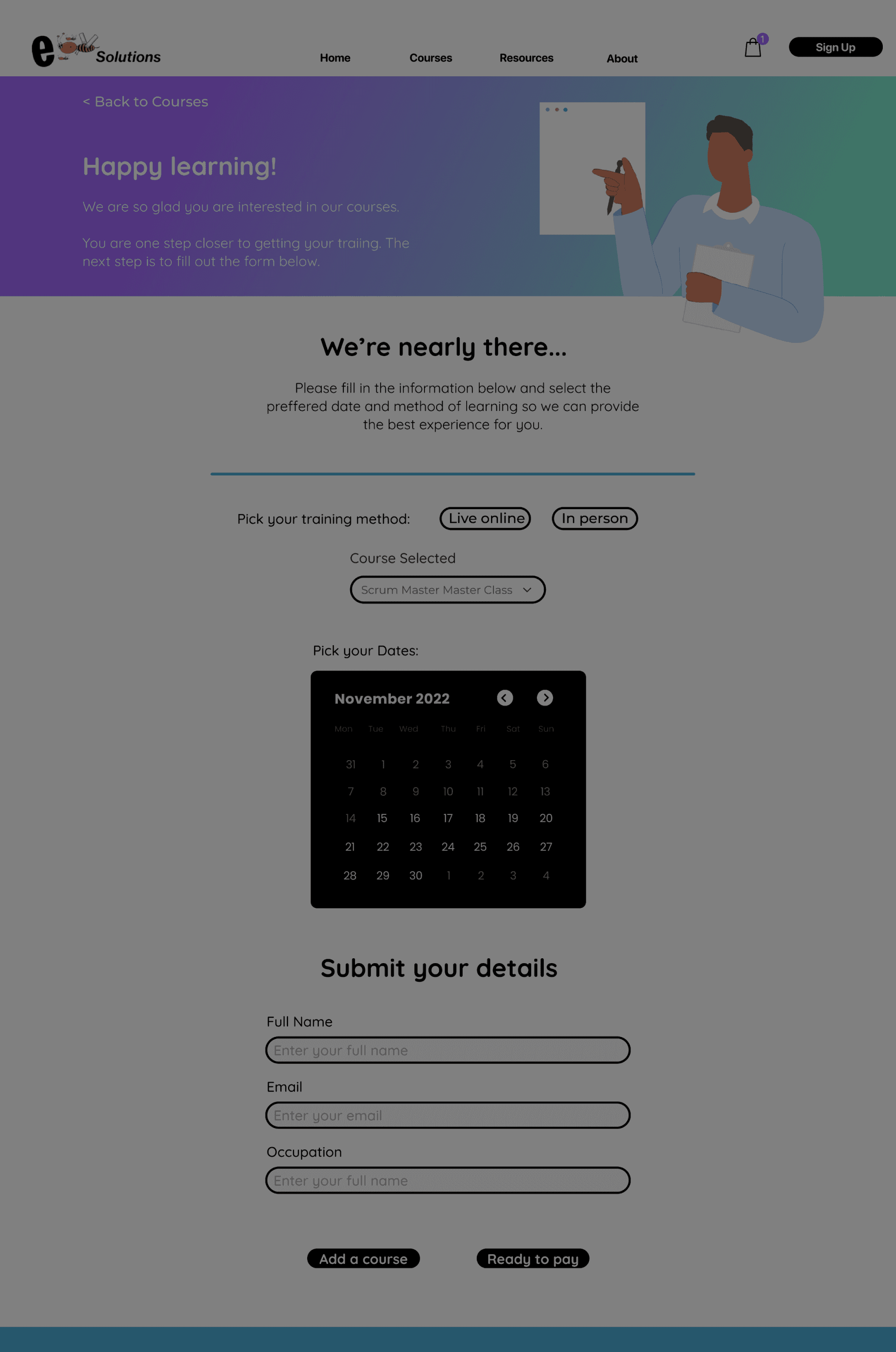
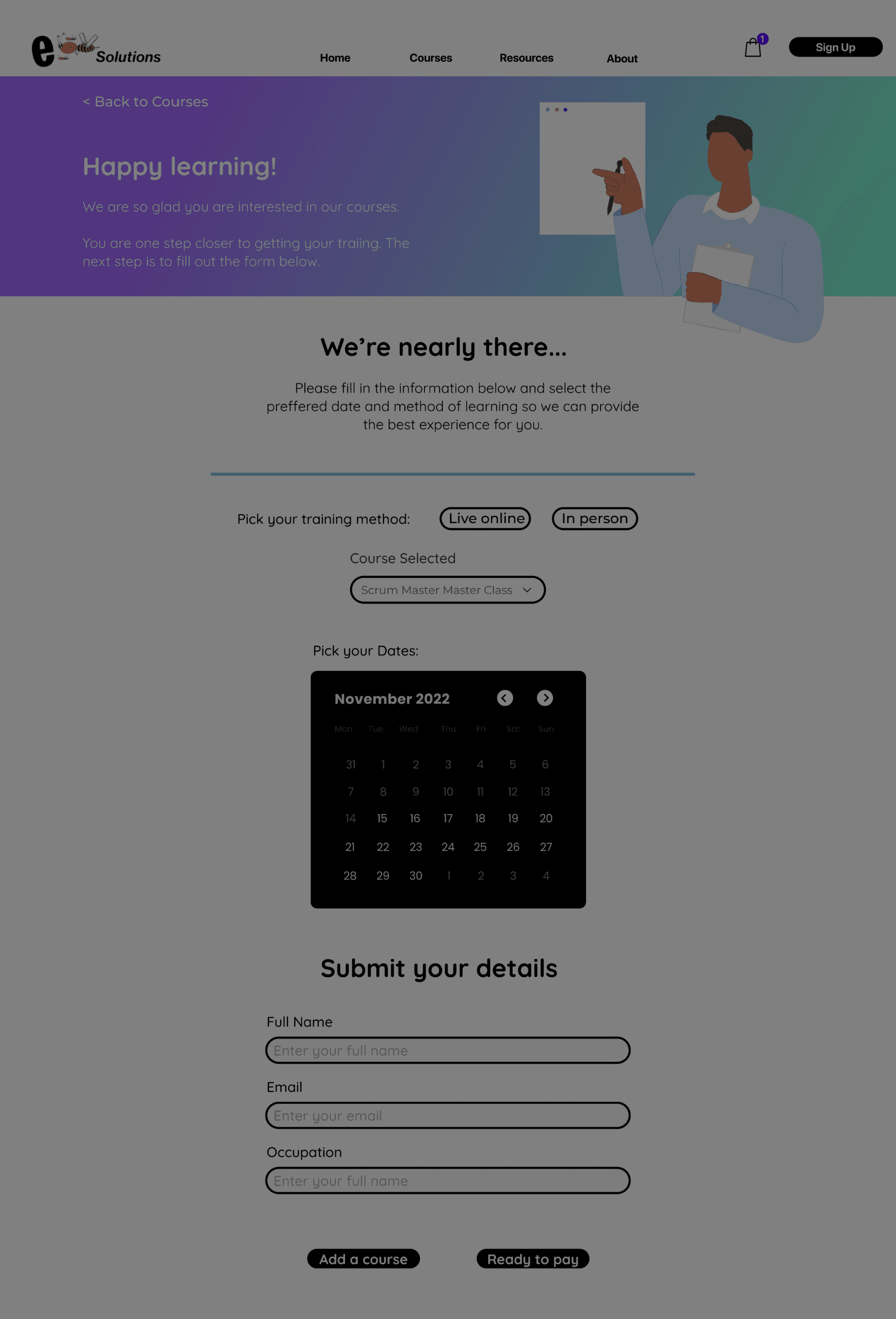
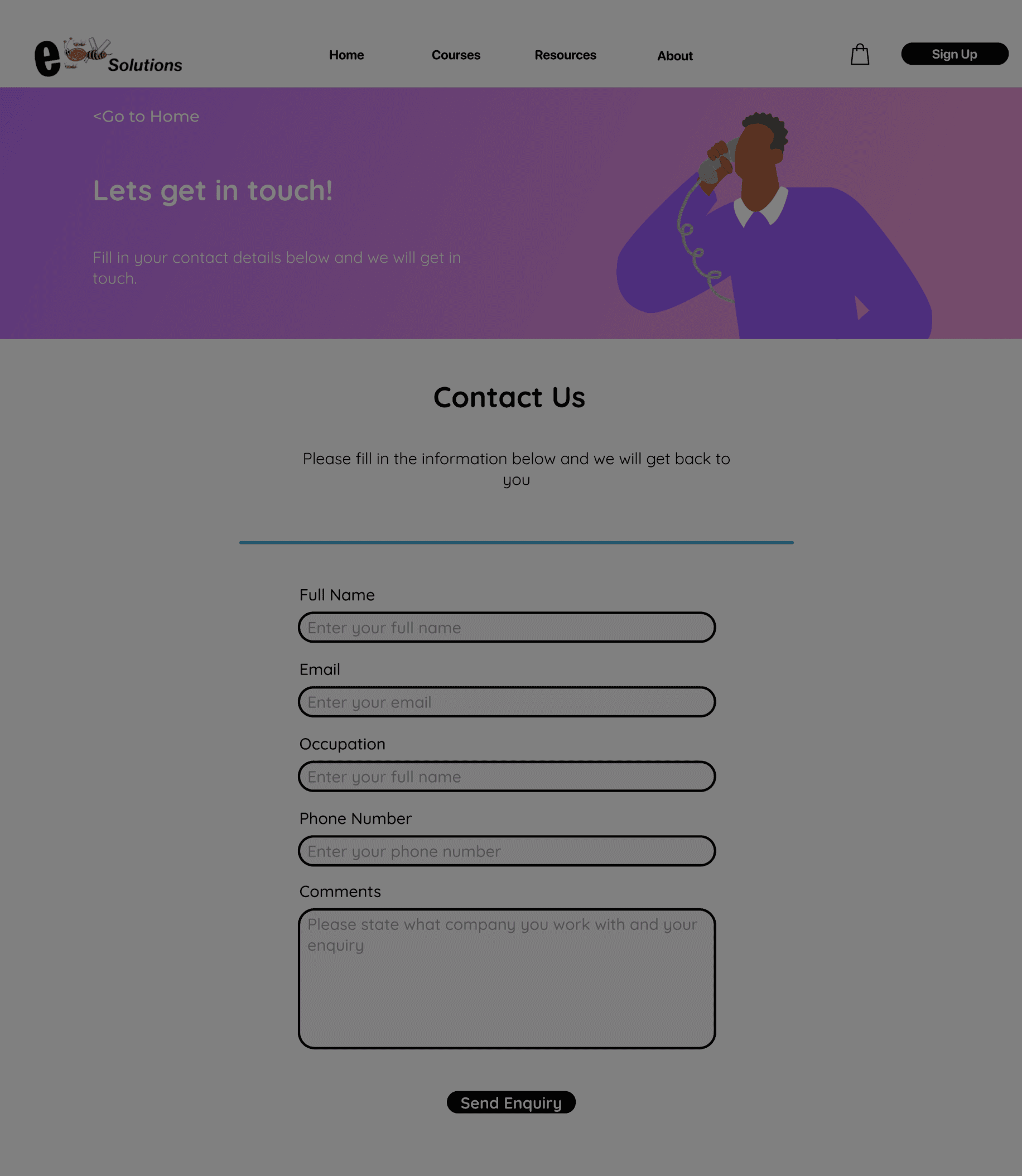
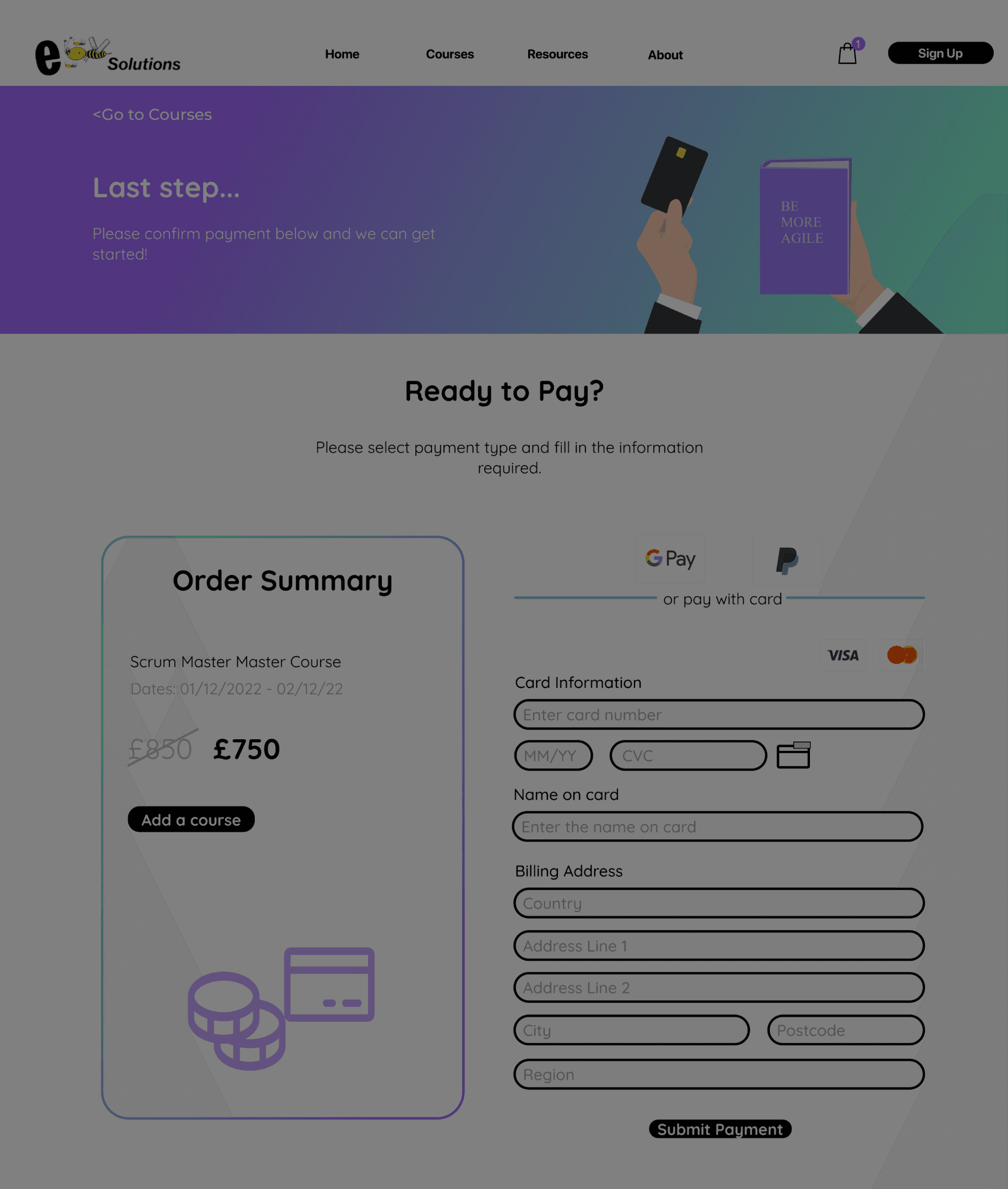
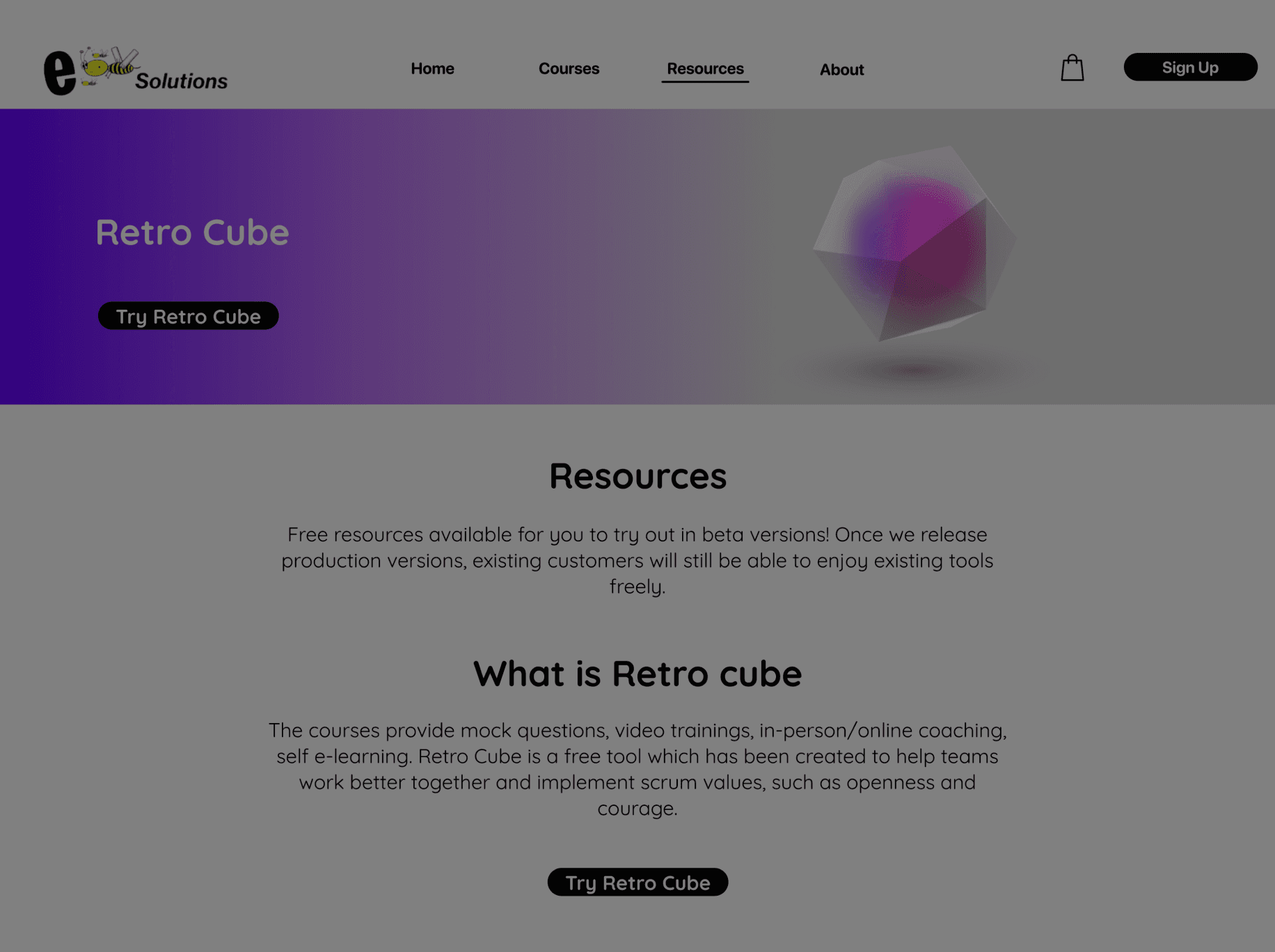
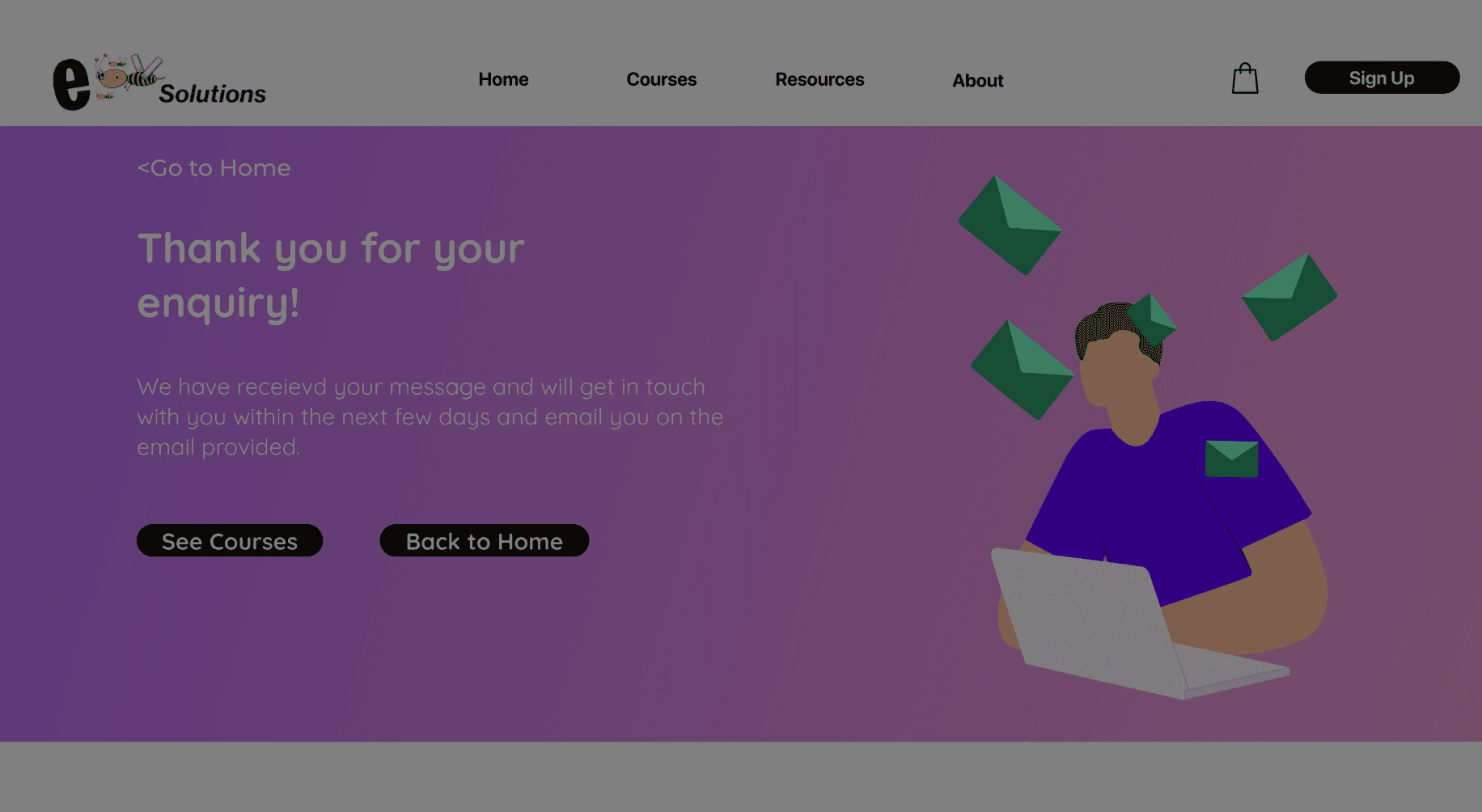
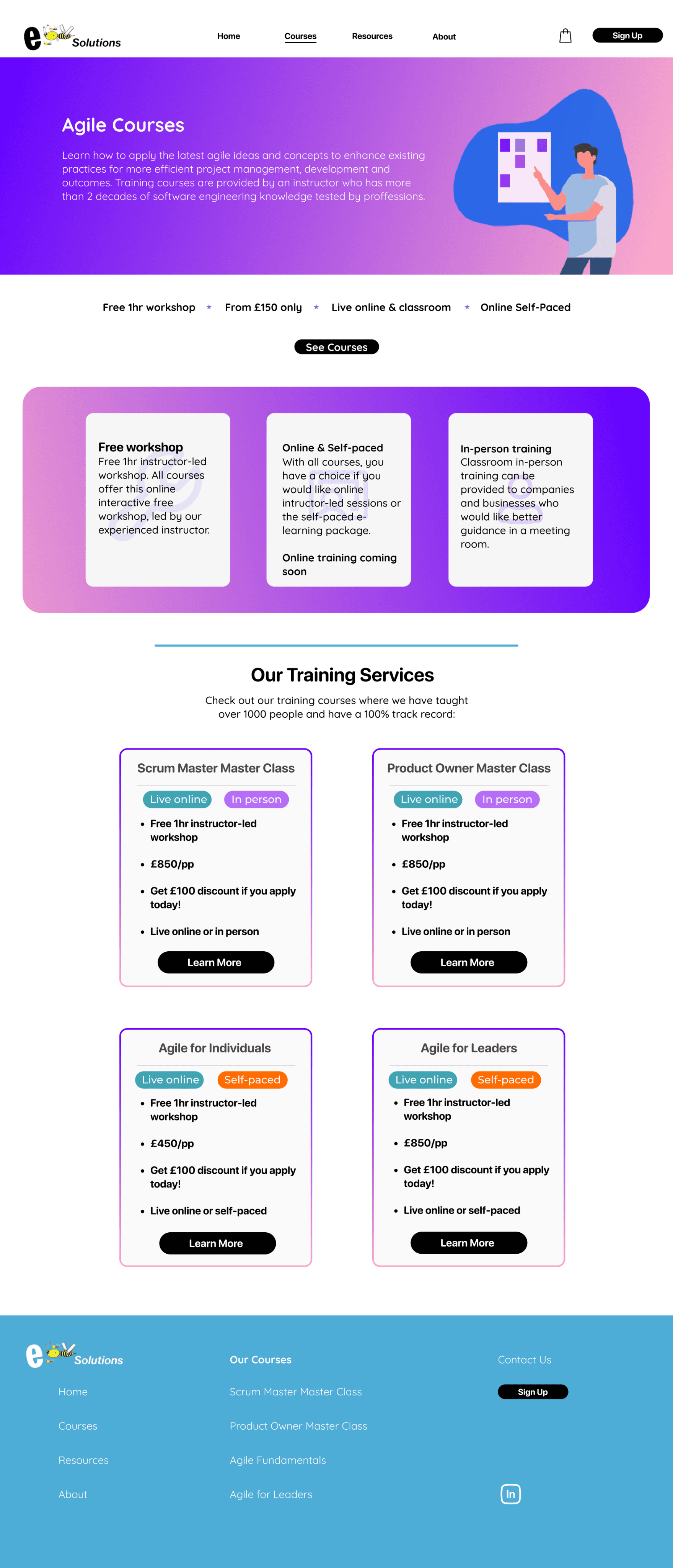
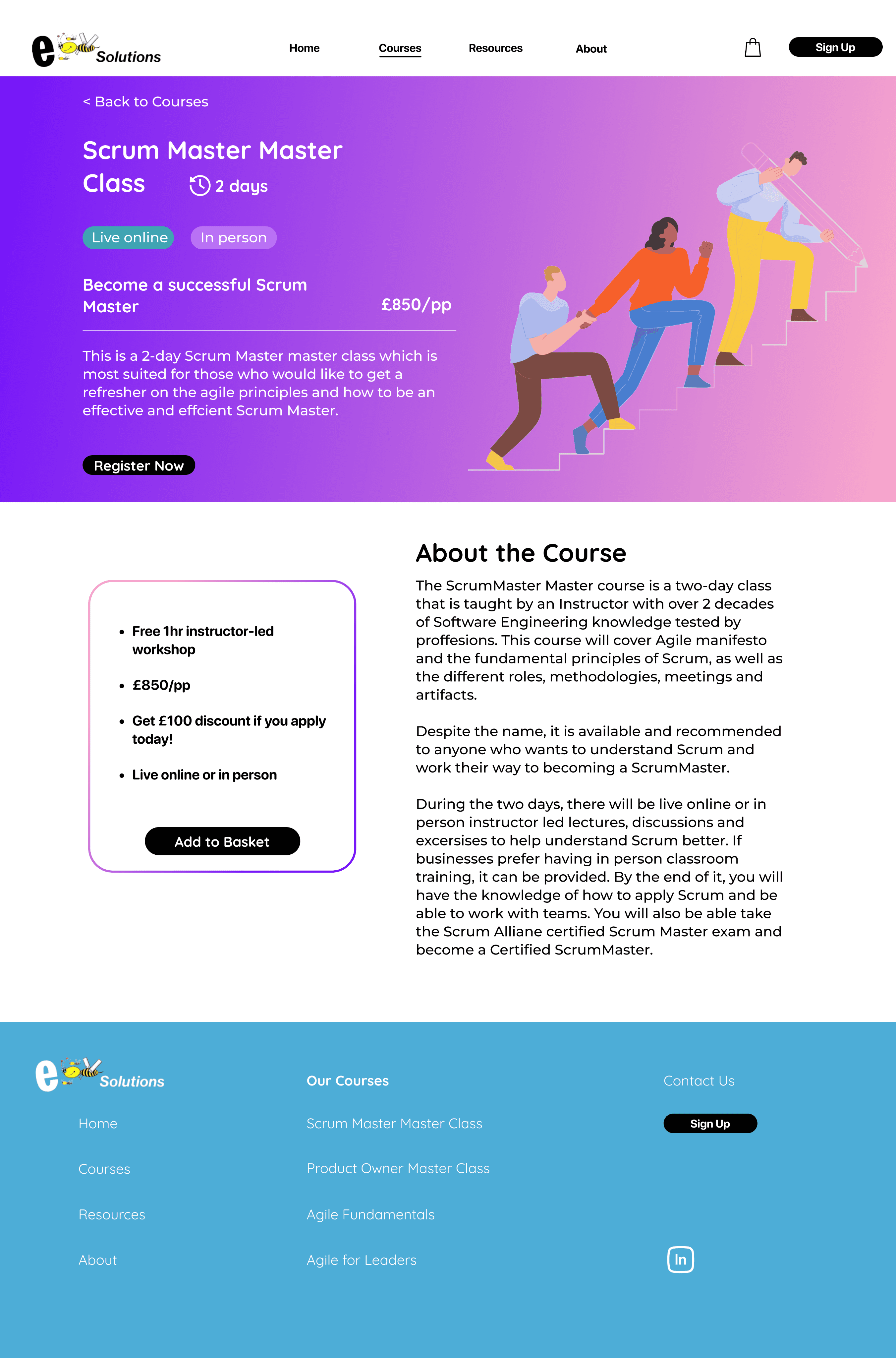
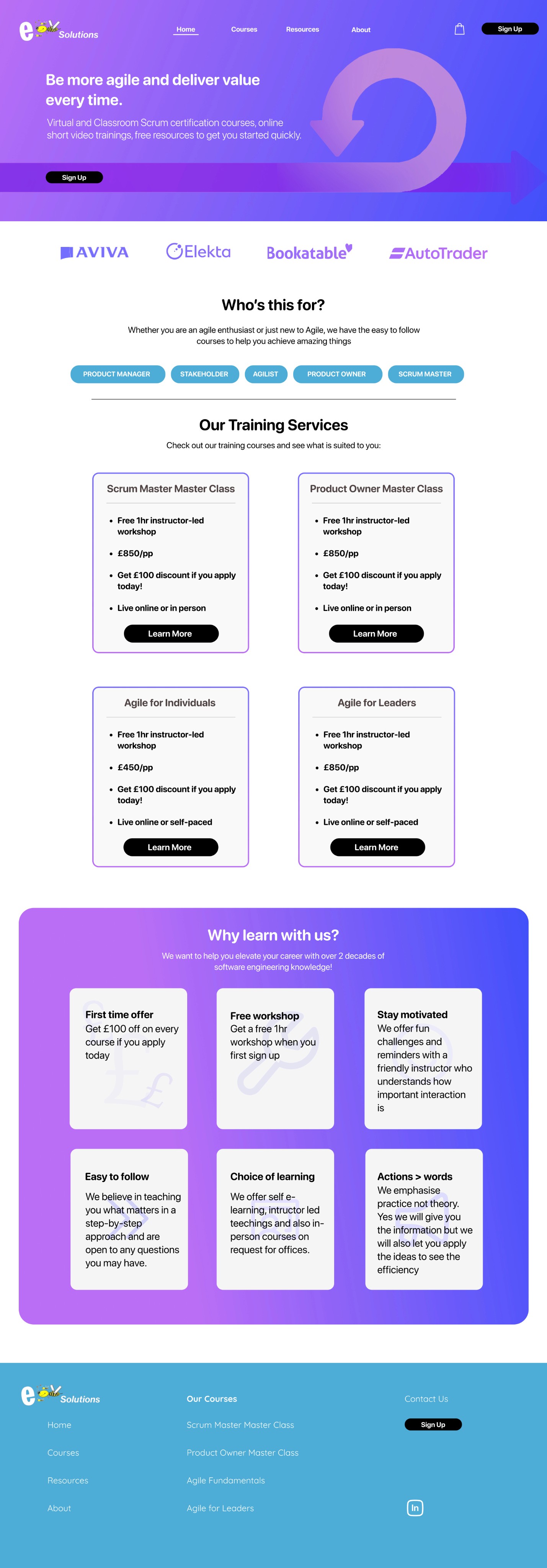
First design prototype (Scroll down for final design)
When it came to actually updating the website, we ran into a few challenges. We conducted an unmoderated usability study to gather feedback on our design and business constraints also led us to adapt a new design.
Implementation Challenges
Updated Style Guide
Throughout this project I redesigned their logo and decided to opt for a simpler and cleaner colour scheme that would work for WordPress and to be used across training material.
LOGO
Body 2
Montserrat
Medium 16pt
Body 1
Montserrat
Bold 16pt
Body 3
Montserrat
Regular 16pt
Heading 1
Lato
Bold 60pt
Subtitle
Montserrat
Light 18pt
Button
Montserrat
Medium 16pt
Standard Button
Hover Button
Standard Button
Hover Button
Standard Button
Hover Button
TYPOGRAPHY
BUTTON
STROKES
BRAND COLOURS

170438
231F20
F5F0F0
CECECE
F2F2F2
FFFFFF
FFC419
F6754E
1781EE
155787
43B2CD
1AB361
111111


Final Design
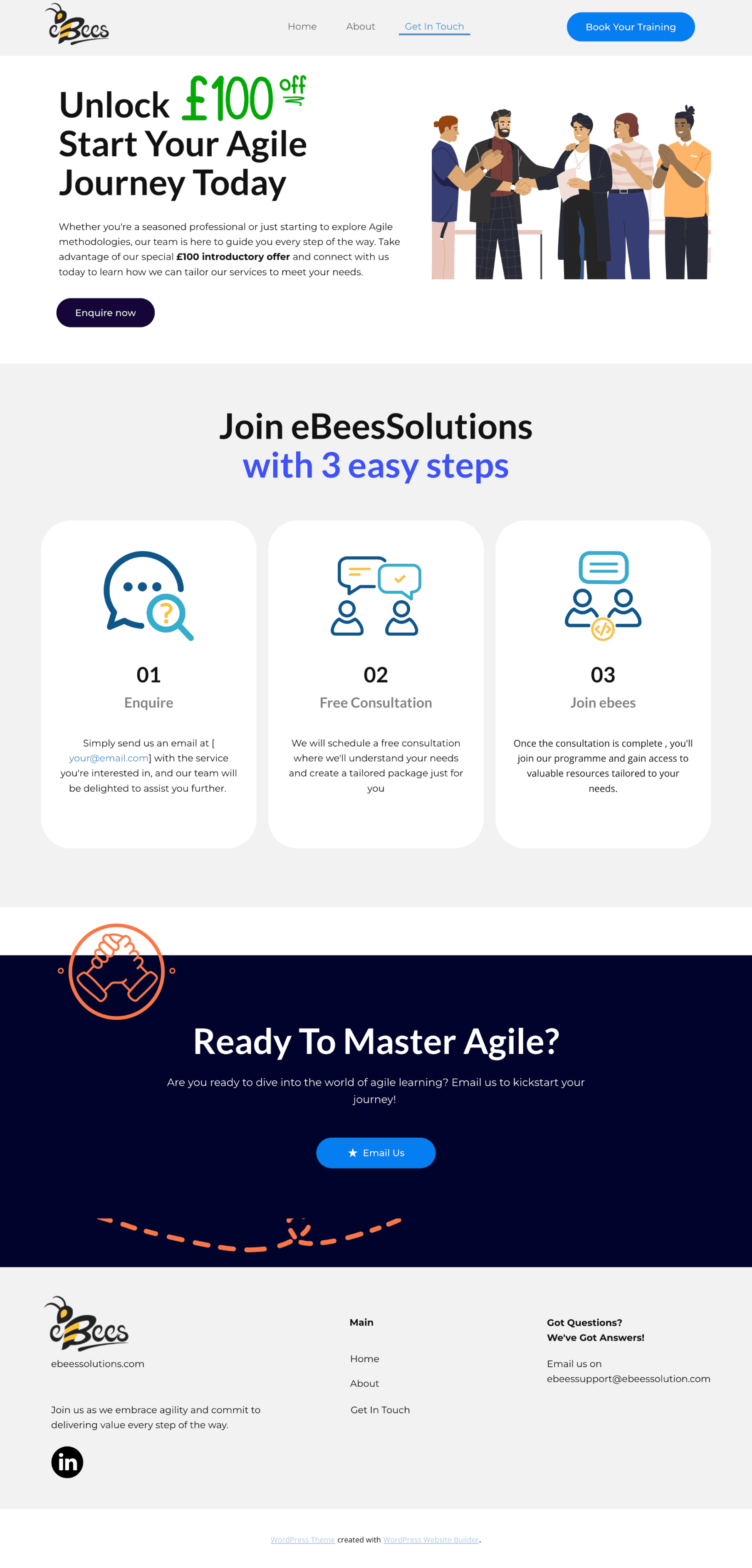
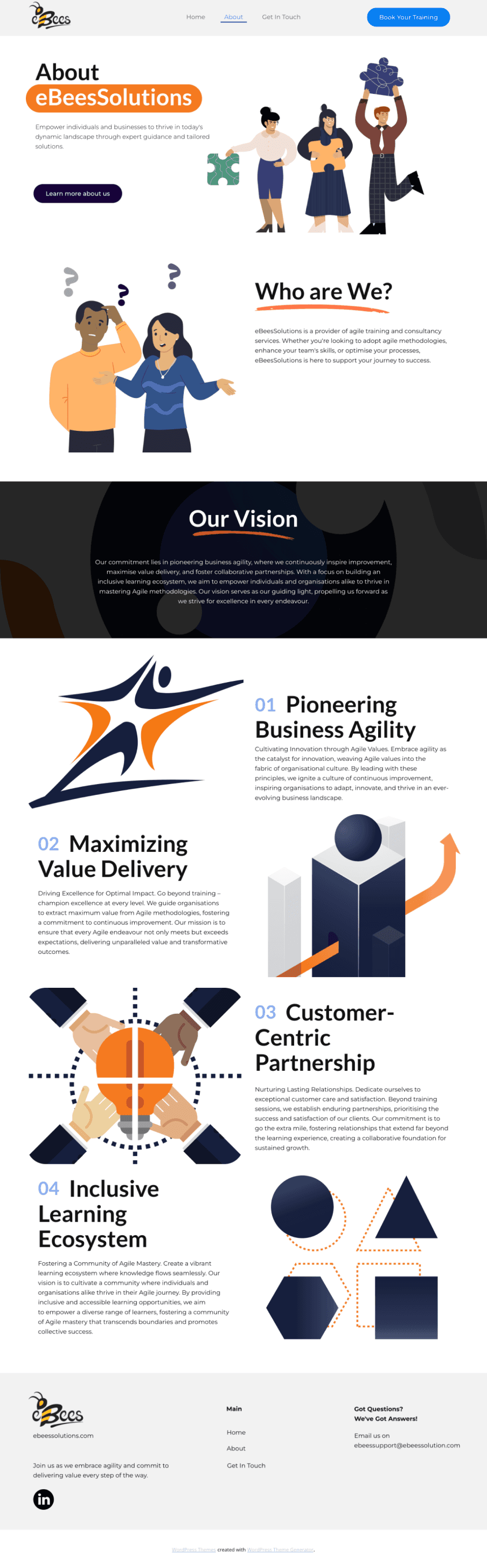
We Redesigned and redid the information architecture for a simpler and cleaner UI, with more condensed information and ensuring we are promoting services that are readily available.
170438
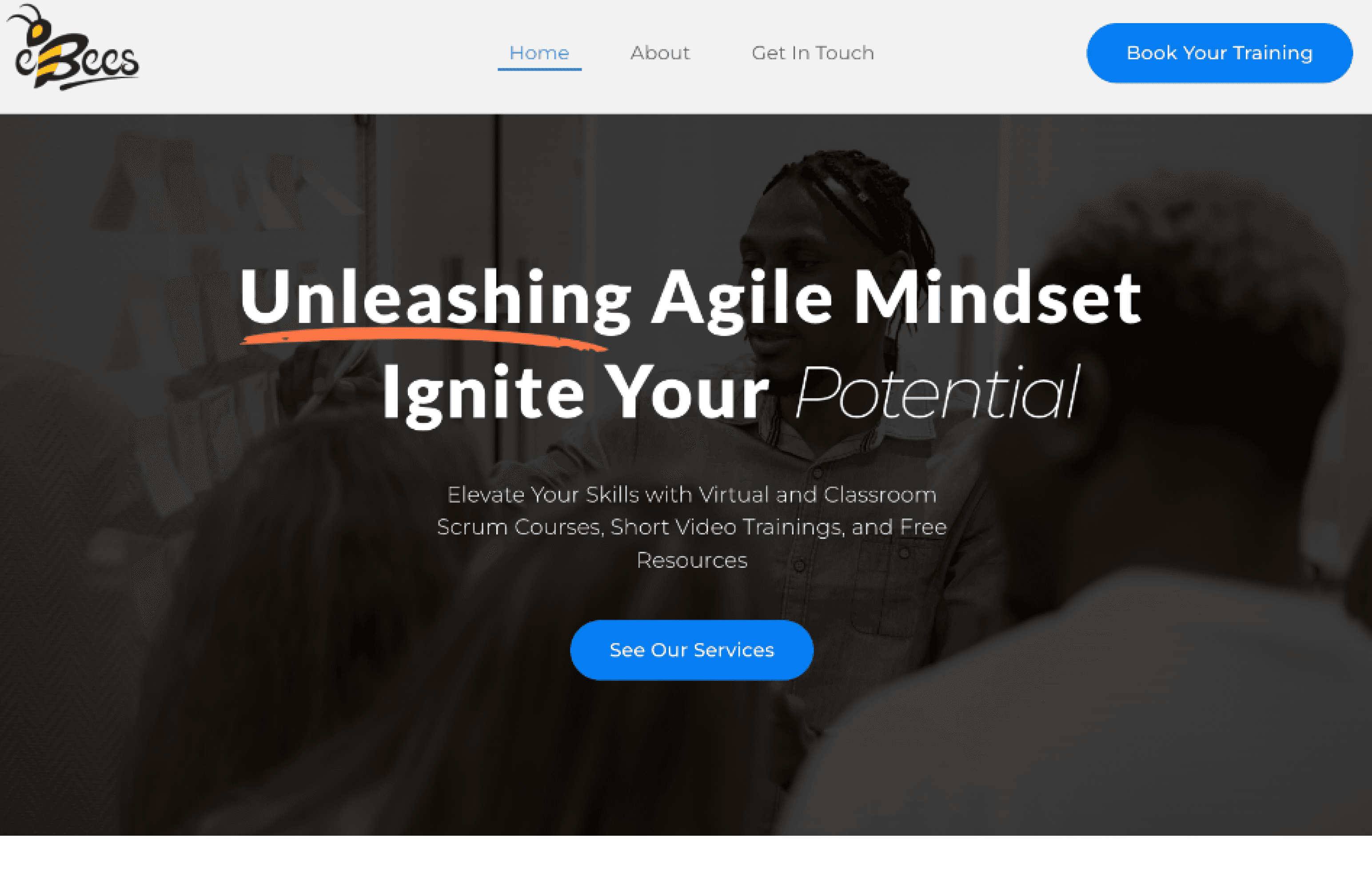
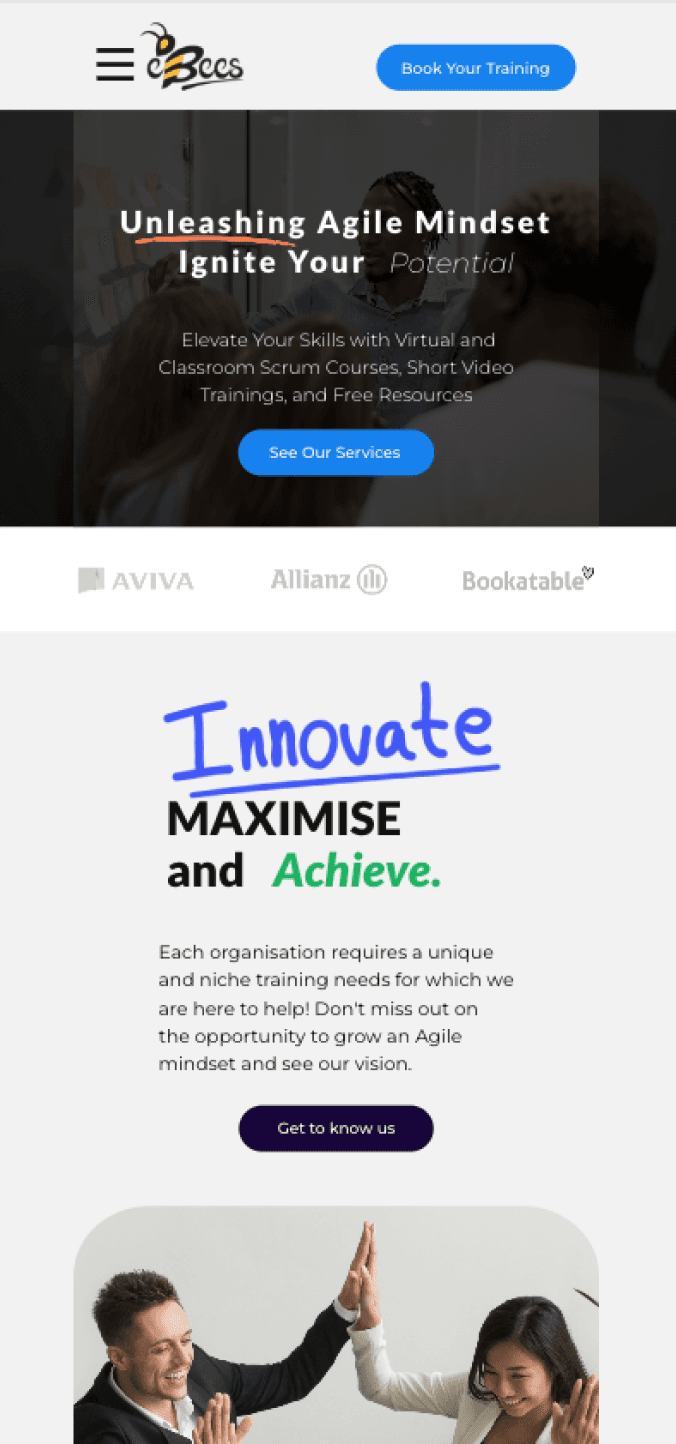
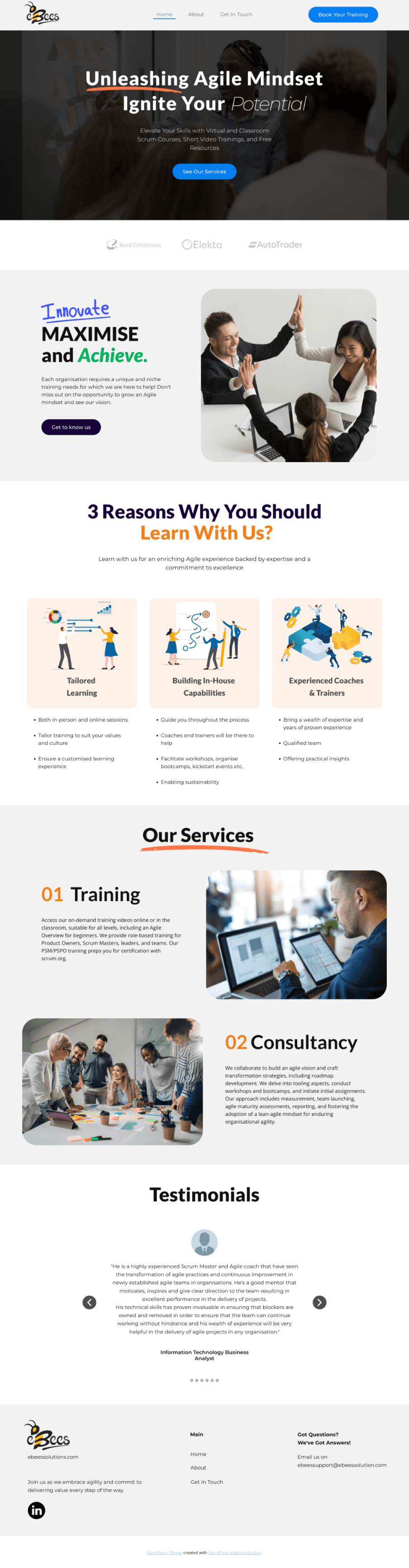
Overview
Although we are delighted with the outcome, it still needs to be tested and the analytics need to be observed to understand what impact the changes have made.
Create a Low-Fidelity Prototype
Things I wish I did
To conduct usability testing earlier
To create insights and to iterate
Using the digital wireframes
To save time
Work within constraints
Prevent complications with implementation
Established Business Constraints
Conducted Usability Testing on a larger group to gain more accuracy of insights to support decisions
Larger User Group


 Resume
(I am always down for a cup of coffee)
🫱🏼🫲🏽 Let’s be friends!